
CSV Export and Settings Shortcuts in Tickets List View

Managing and analyzing your tickets is now simpler with the addition of a CSV export option and quick access to ticket settings in the Ticket List View.
CSV Export: Get ticket information, including selected columns and applied filters, based on your current view. This guarantees that you only receive relevant data without requiring additional procedures.
Quick Access to Settings: Eliminate the need for further navigation by adjusting ticket preferences straight from the list view.
These capabilities save time and streamline ticket administration, allowing for faster data analysis and increased workflow efficiency.
Let’s see how it works.
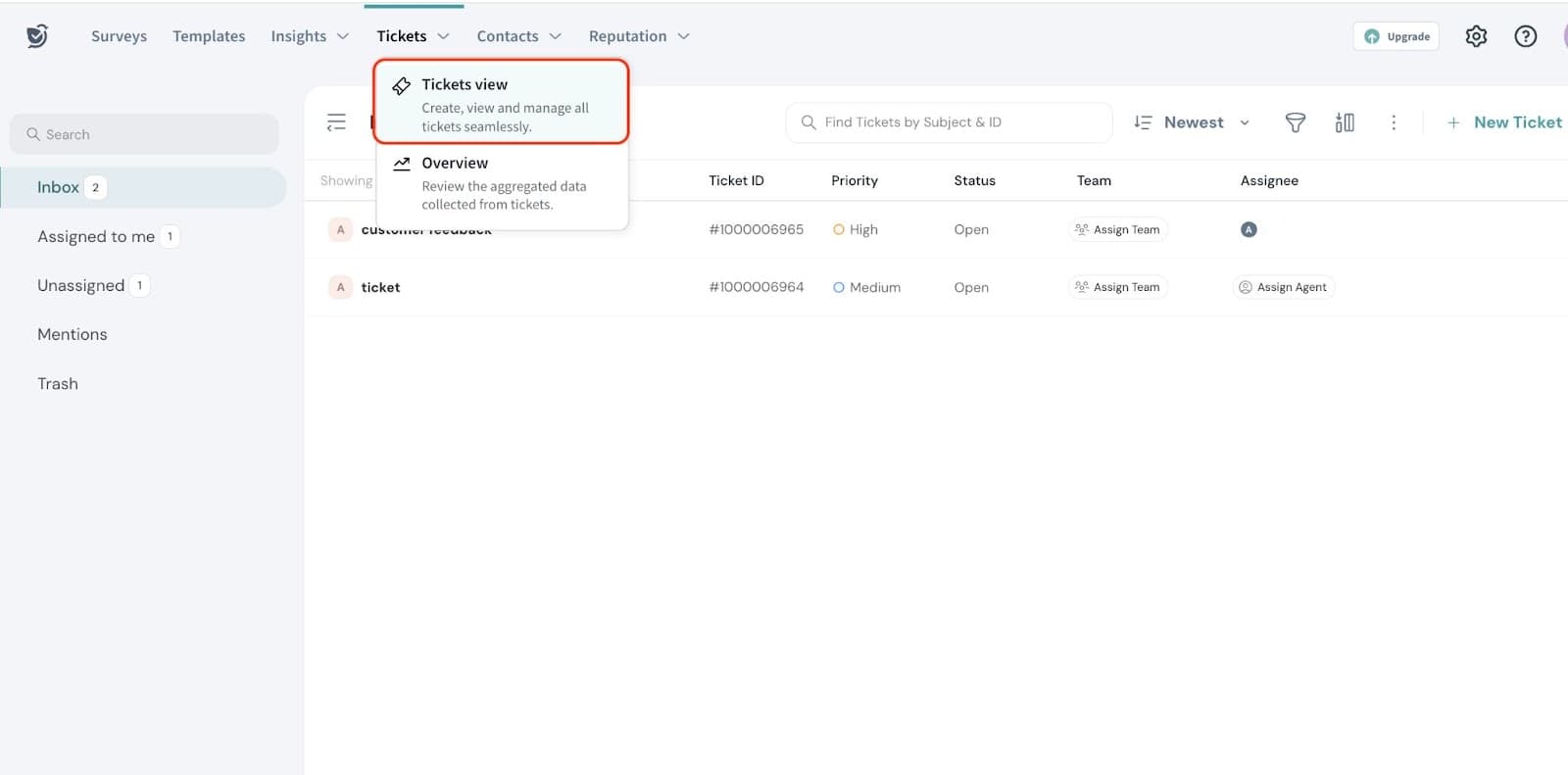
- Navigate to ‘Tickets view’ under Tickets.
- Click on the three-dot icon in the top right corner to access the Options.
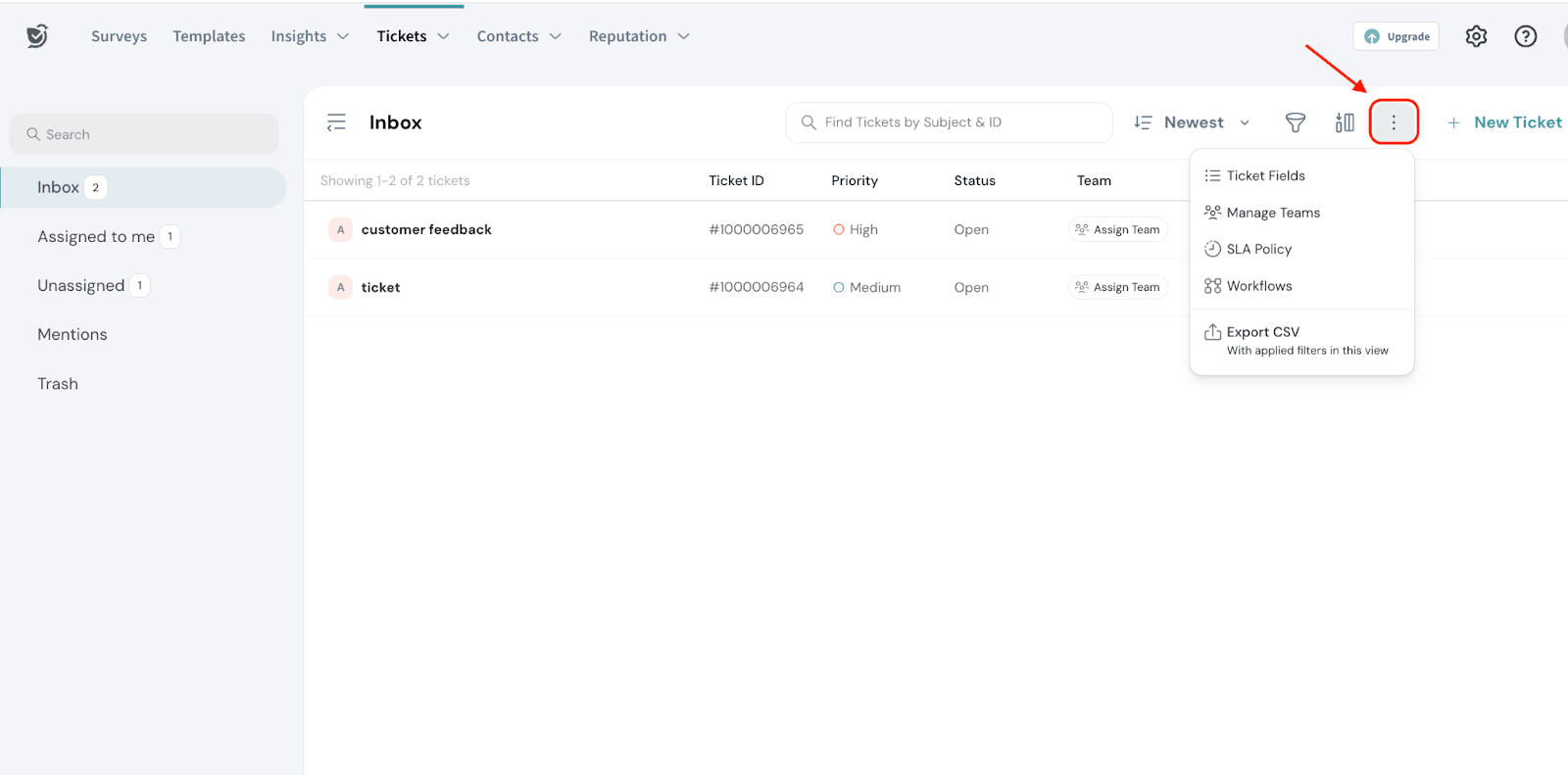
The following options will be displayed
- Ticket Fields- Quick access to ticket fields in settings.
You can refer to this help article on creating custom ticket fields. - Manage Teams- Shortcut to team management settings. You can refer to this help article on creating ticketing teams
- SLA policy- Shortcut to creating SLA policy
- Workflows- This is a shortcut to creating workflows from settings. You can refer to this help article on how to create workflows in ticket management
- Export CSV-Follow the steps below to Export CSV
- Click on Export CSV.
This ensures the exported data reflects the filters you've applied, the current layout of the ticket list, and any columns you've chosen to display.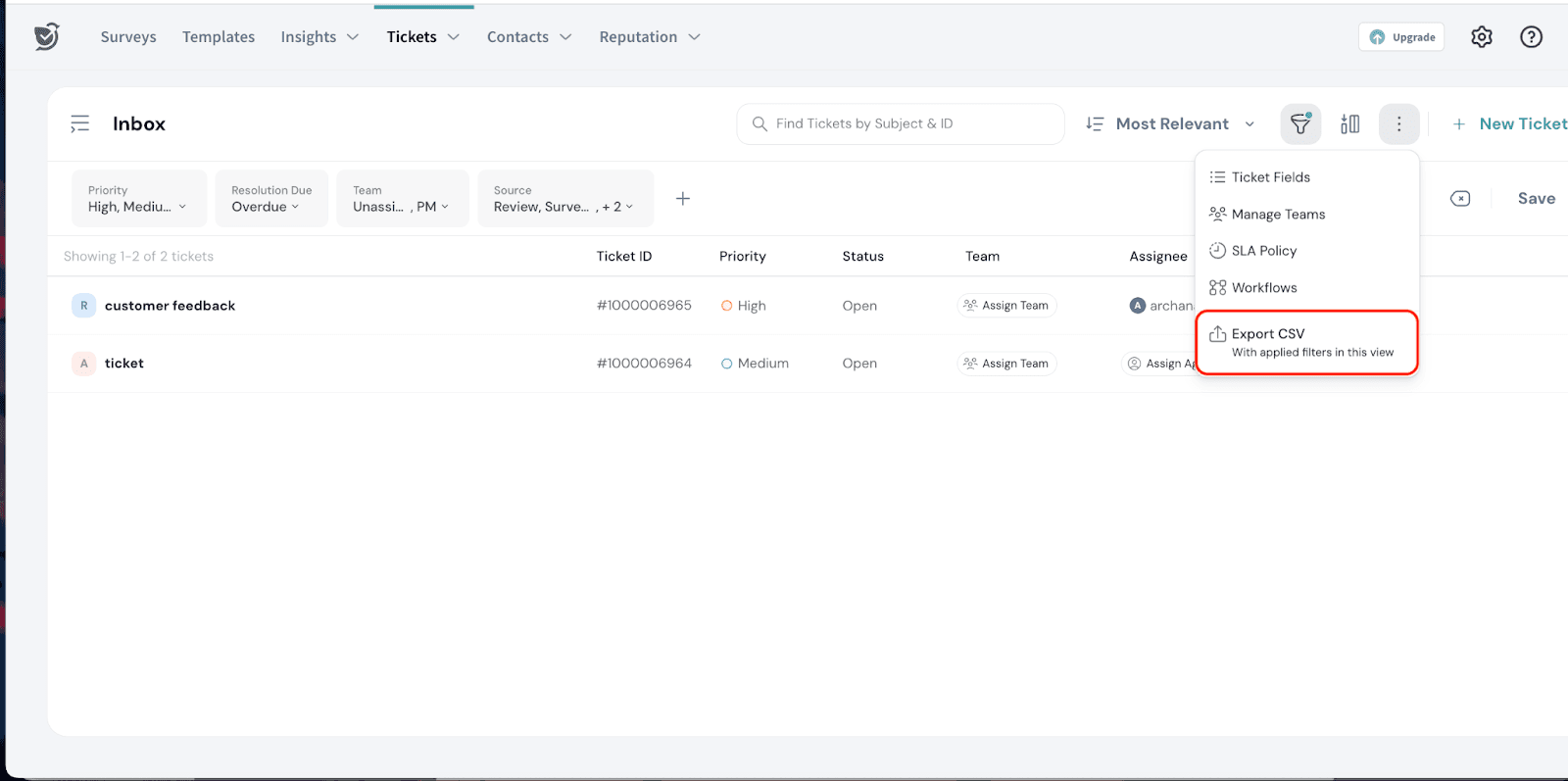
You can see that filters are applied in the following view. When you click Export CSV, the exported file will reflect the current view with the applied filters, ensuring that only relevant and targeted data is included.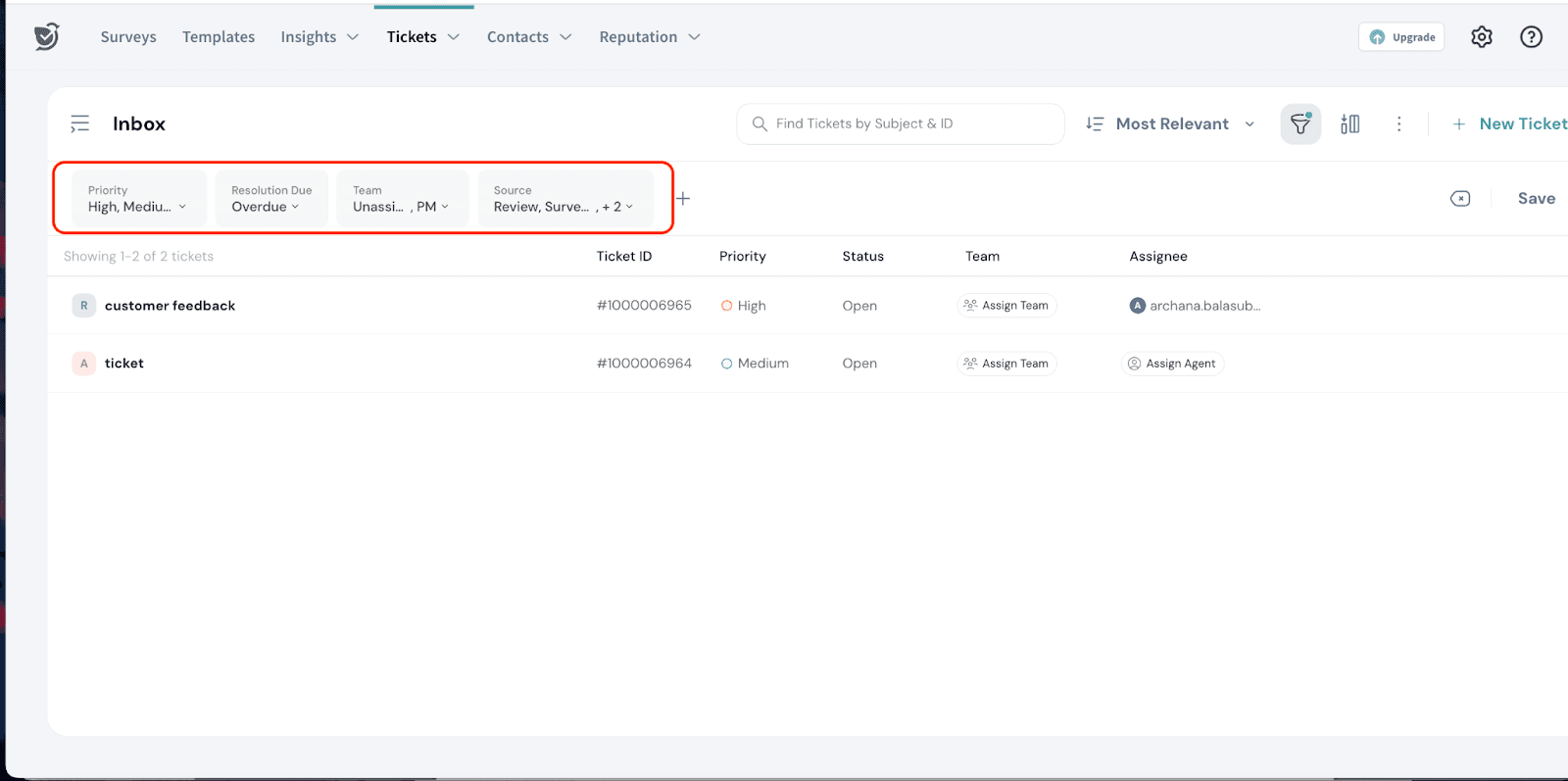
Note
- If the CSV data exceeds the downloadable limit, it is split into multiple files.
- When you click Export CSV, no confirmation dialog will appear, unlike the other choices under the Options The export will be processed immediately based on the current view with the applied filters.
Feel free to reach out to our community if you have questions.