How to block email domains in SurveySparrow

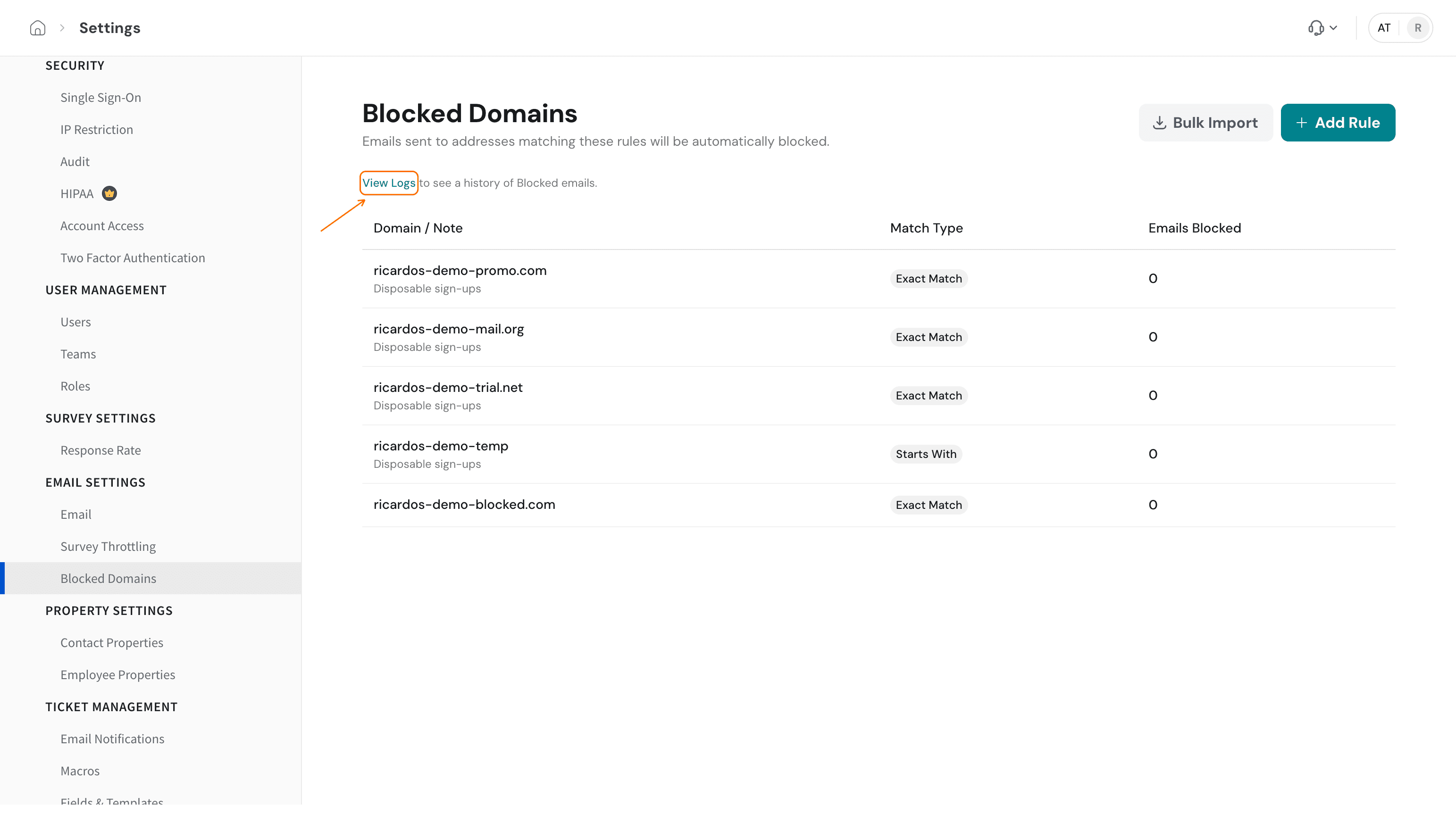
You can block email domains in SurveySparrow by adding rules to the Blocked Domains list in your settings. Each rule matches a domain or a pattern, and the page says emails sent to addresses matching your rules are automatically blocked. Add rules one at a time, or paste many domains at once with Bulk Import. Blocked Domains is a list you manage yourself. If SurveySparrow has blocked your survey or outgoing emails for suspected abuse, see Survey blocked due to Phishing or Abusive: blocklist + troubleshooting.
Prerequisites
- A list of the domains you want to stop emailing. A domain is the part of an email address after the @ sign, such as
ricardos-demo-blocked.com.
Which match type should you choose?
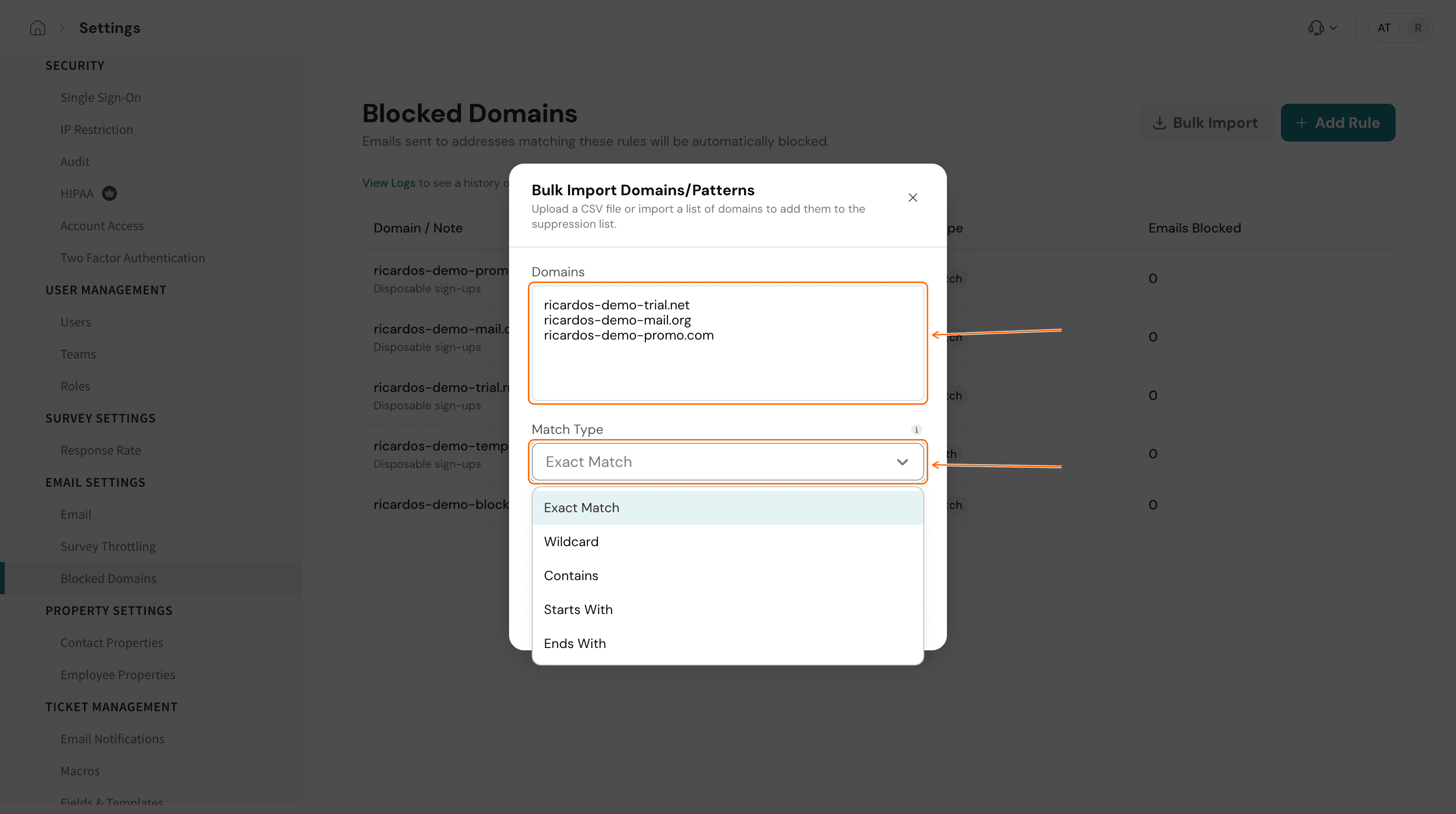
Every rule has a match type that decides which domains it catches. Pick the narrowest type that does the job, so you do not block more than you mean to.
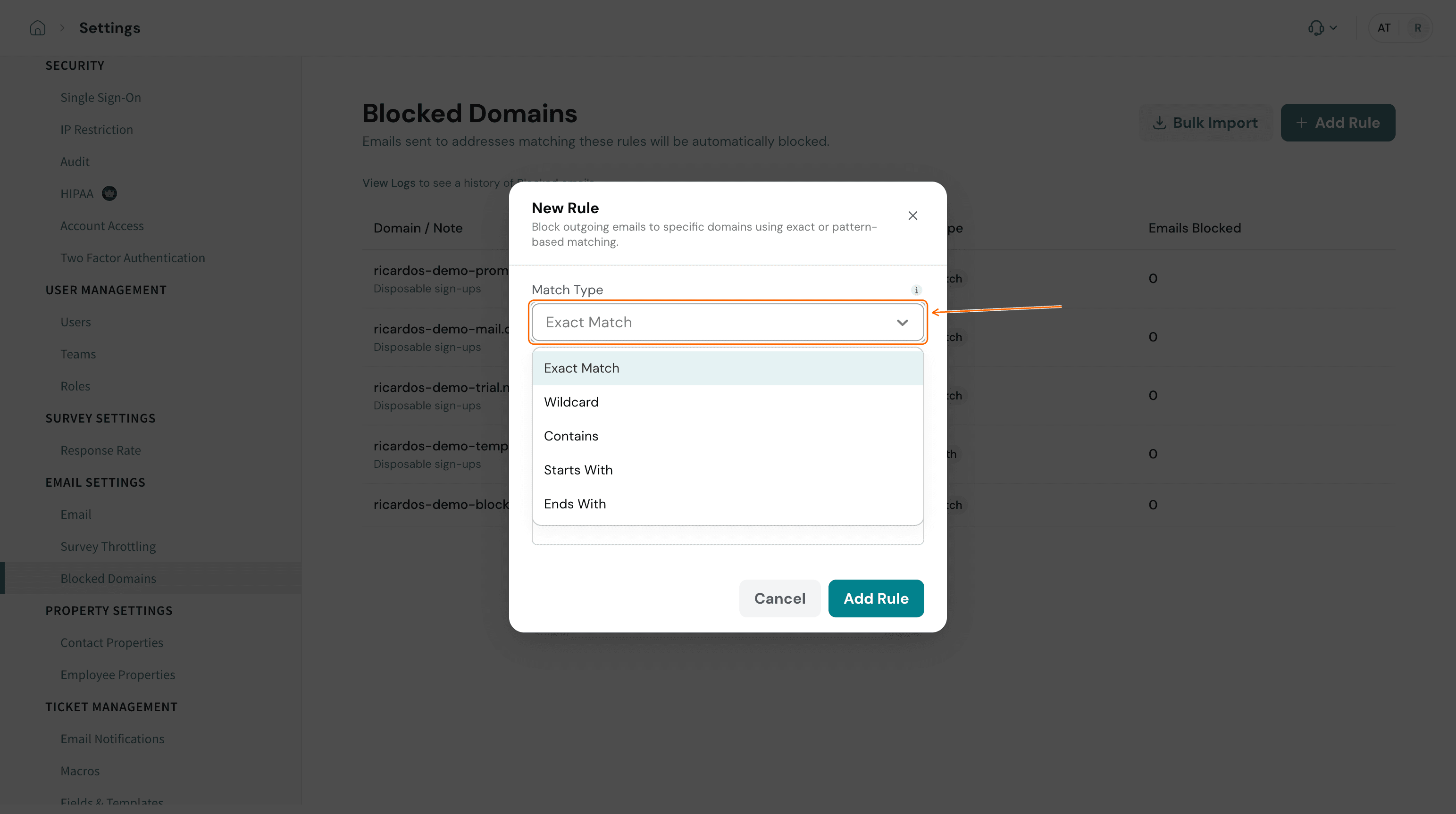
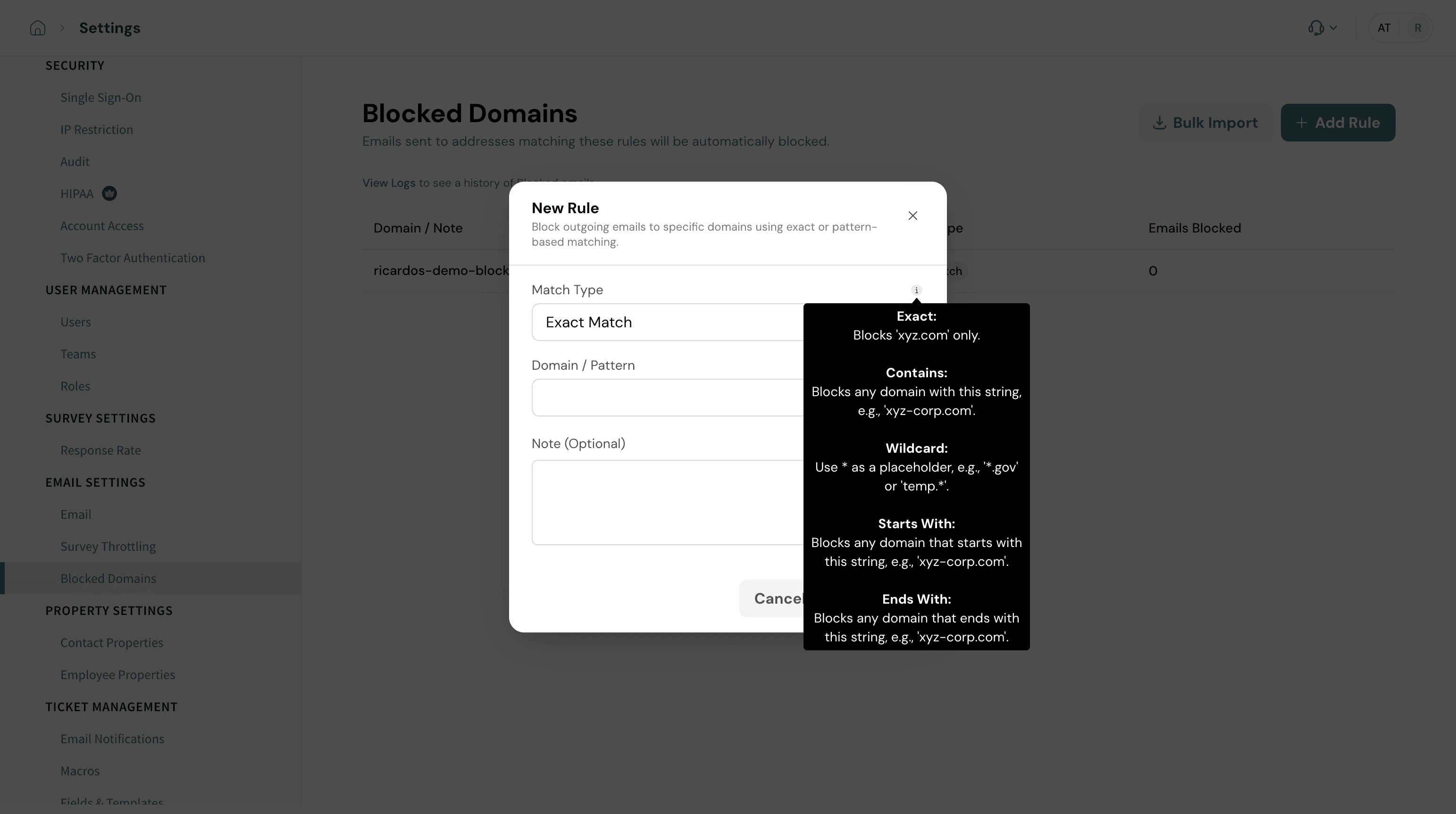
Match type | What it blocks | Example rule | Example result |
|---|---|---|---|
Exact Match | Only the domain you enter | ricardos-demo-blocked.com | Blocks that one domain and nothing else |
Wildcard | Domains that fit a pattern, where * is a placeholder | *.gov | Blocks any domain that ends in .gov |
Contains | Any domain with your text anywhere in it | demo-temp | Blocks any domain that includes demo-temp |
Starts With | Any domain that begins with your text | ricardos-demo-temp | Blocks any domain that begins with ricardos-demo-temp |
Ends With | Any domain that finishes with your text | .net | Blocks any domain that ends in .net |
Steps
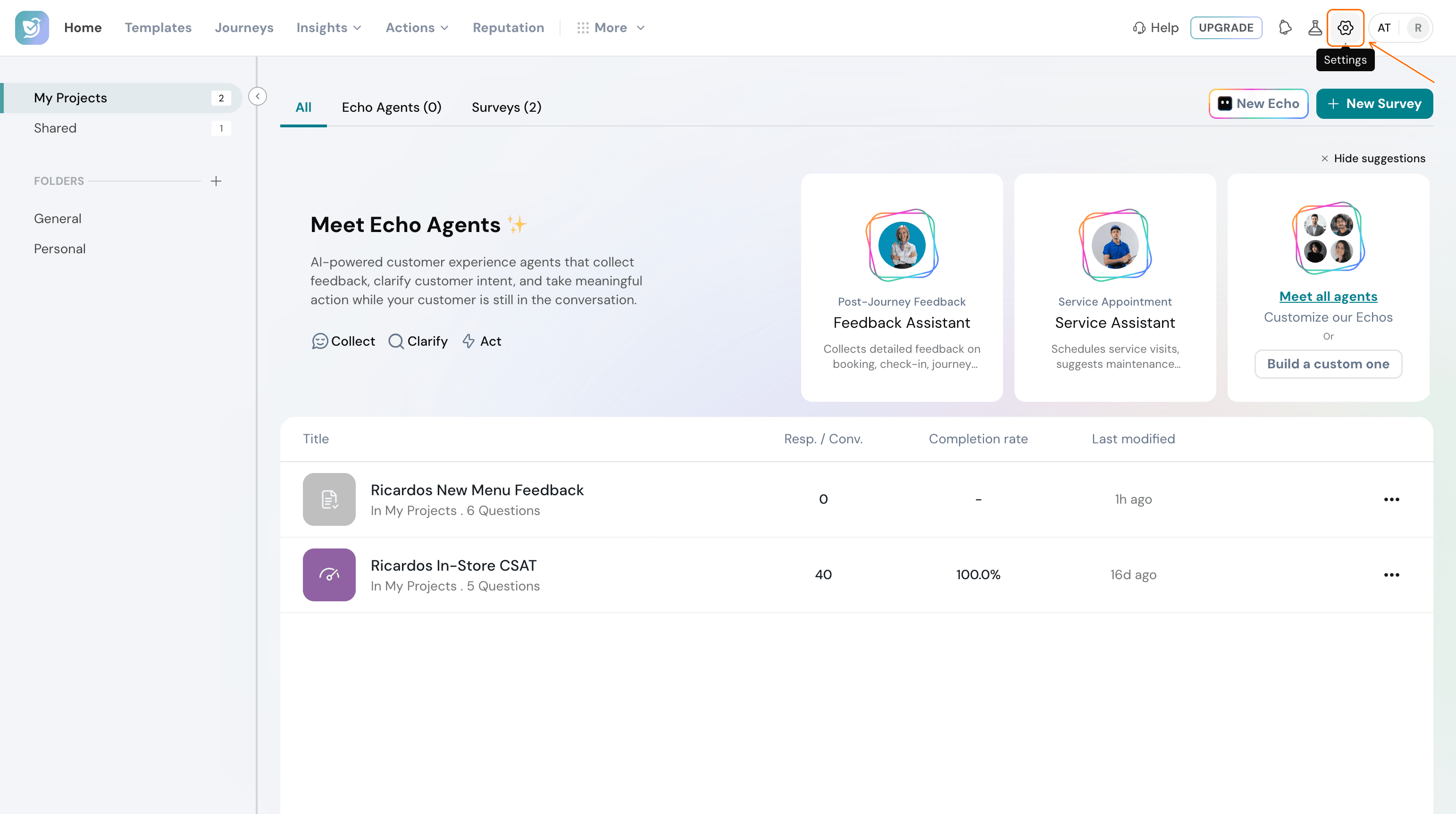
- Click Settings (the gear icon) at the top right of the main menu bar.
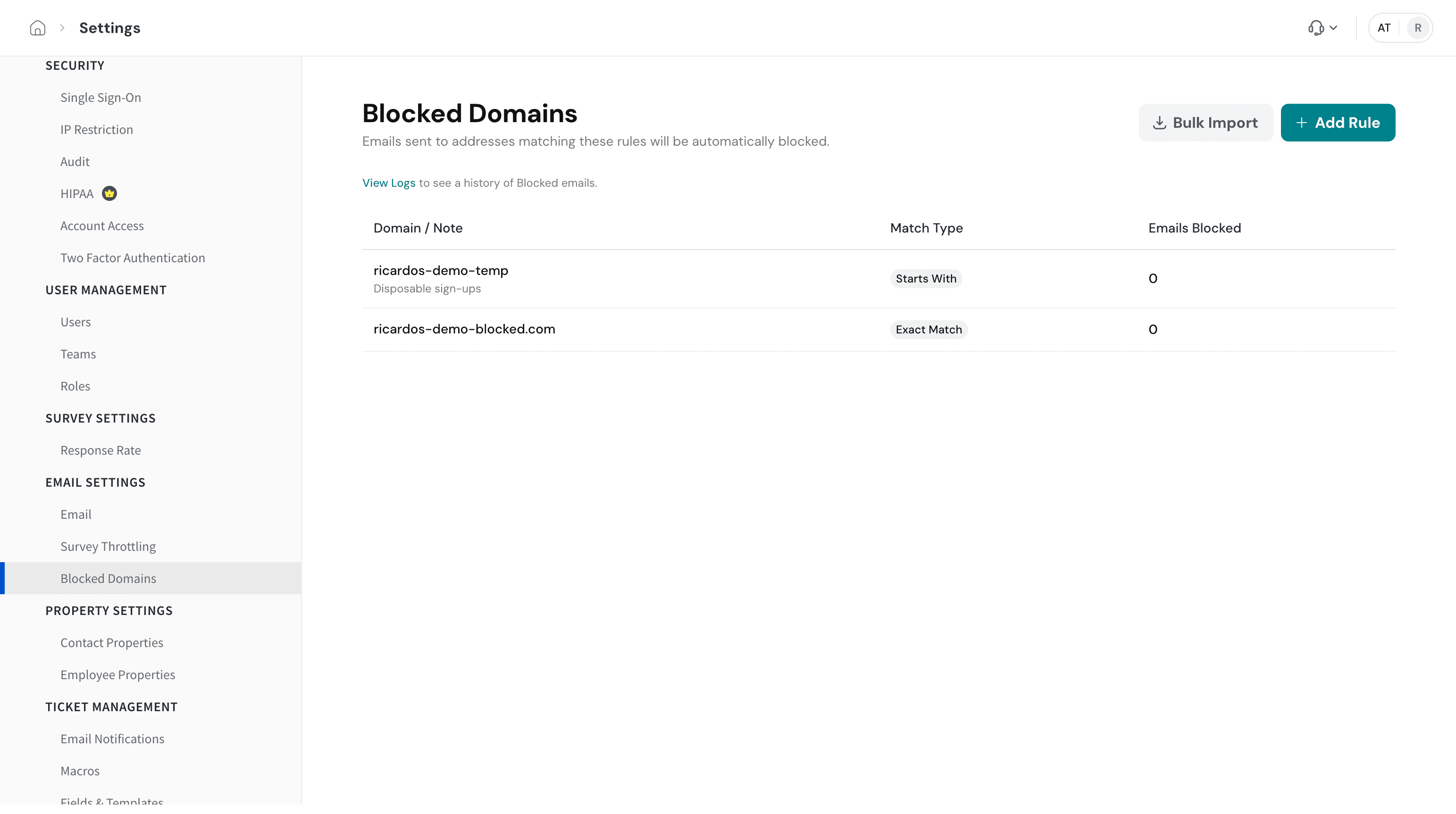
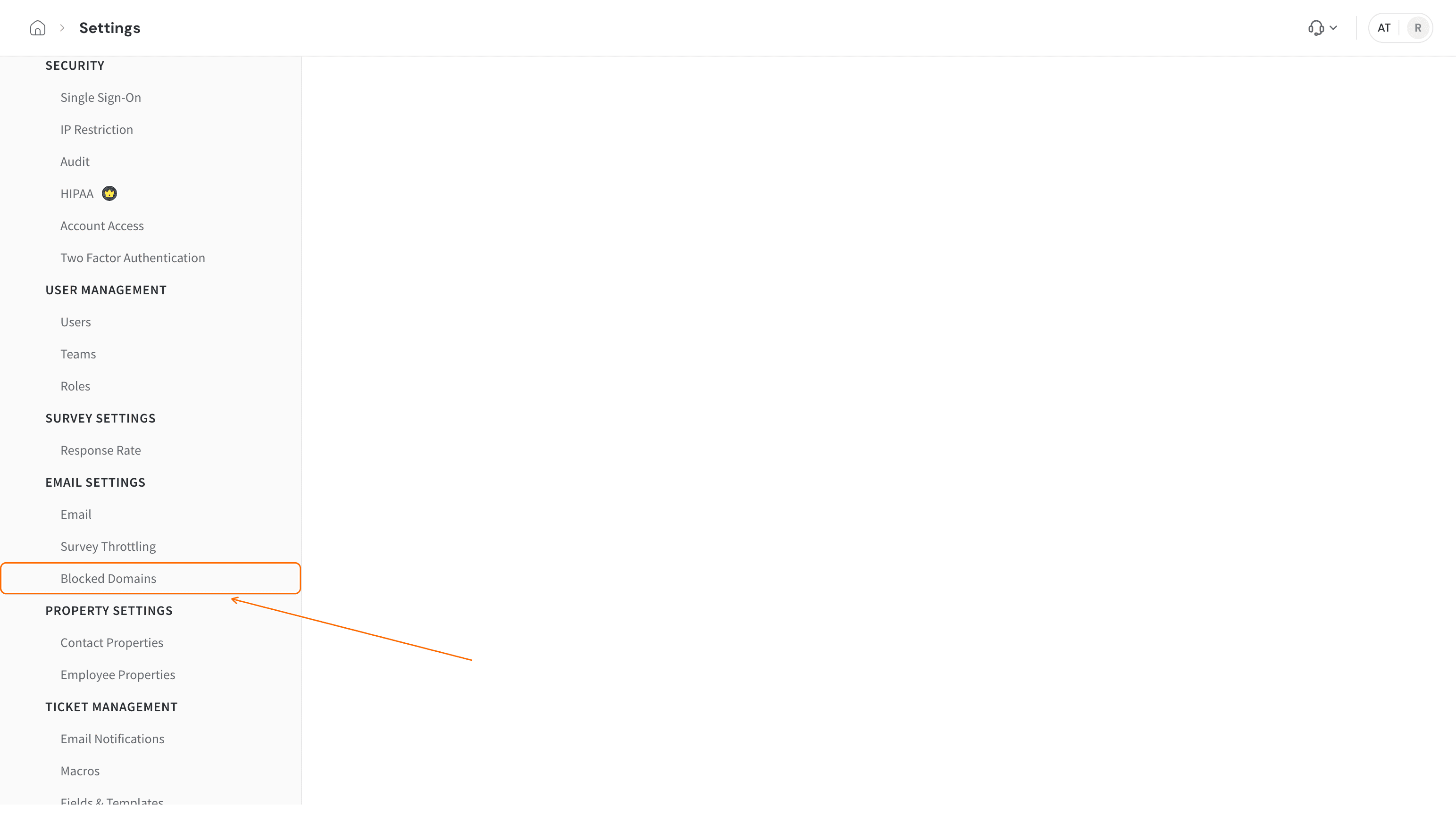
- Under Email Settings, click Blocked Domains.
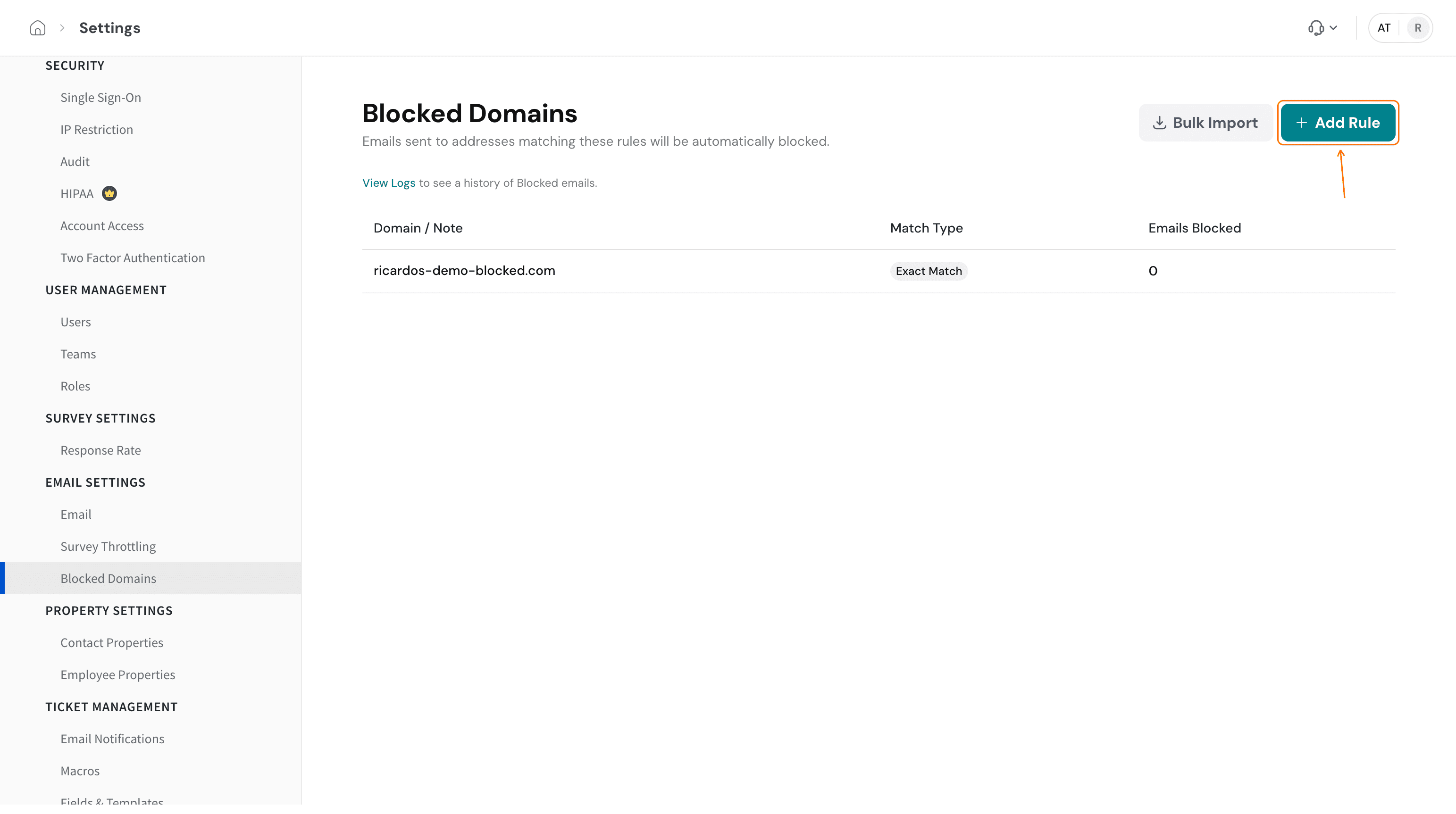
- To block one domain or pattern, click Add Rule.
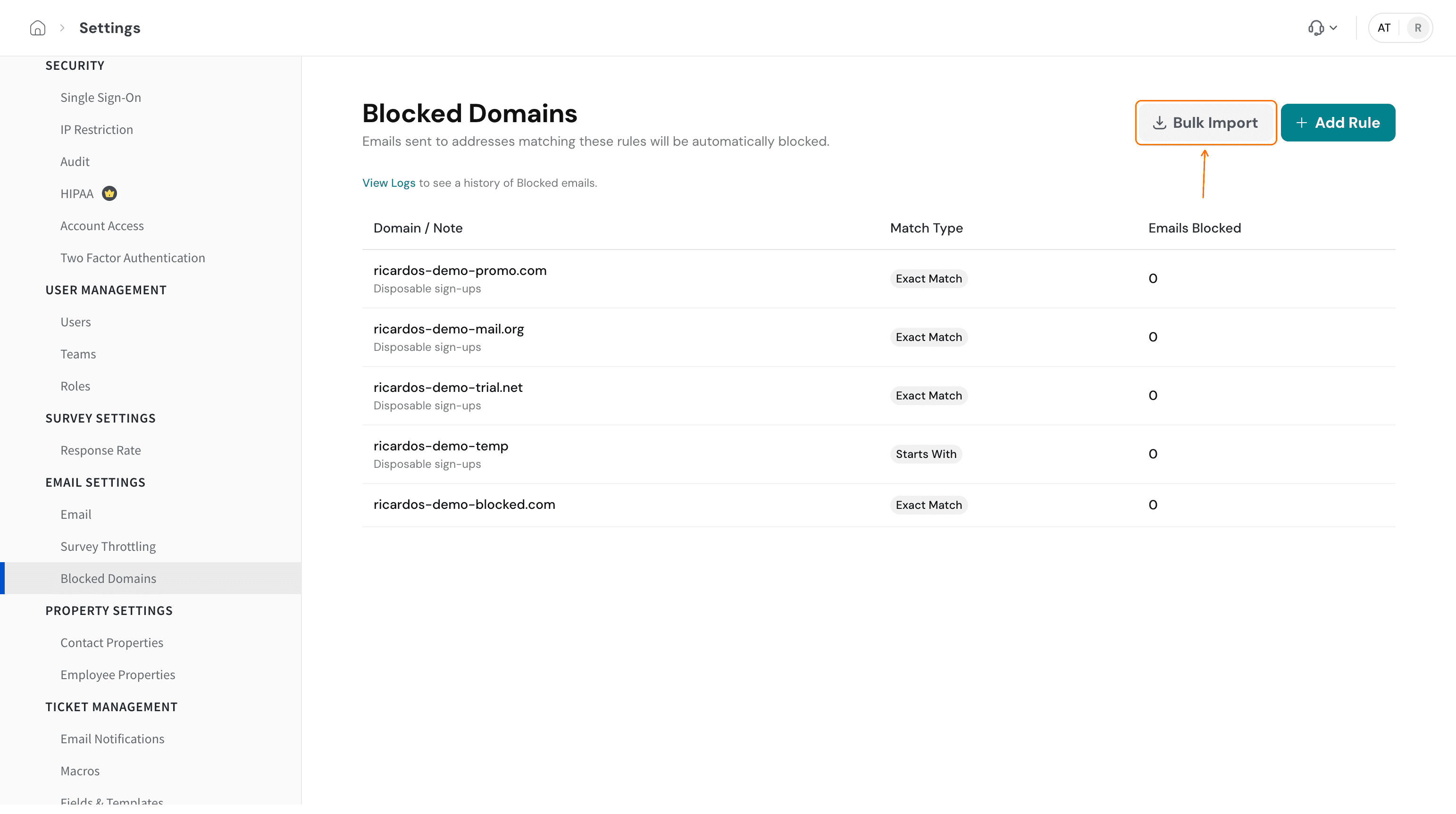
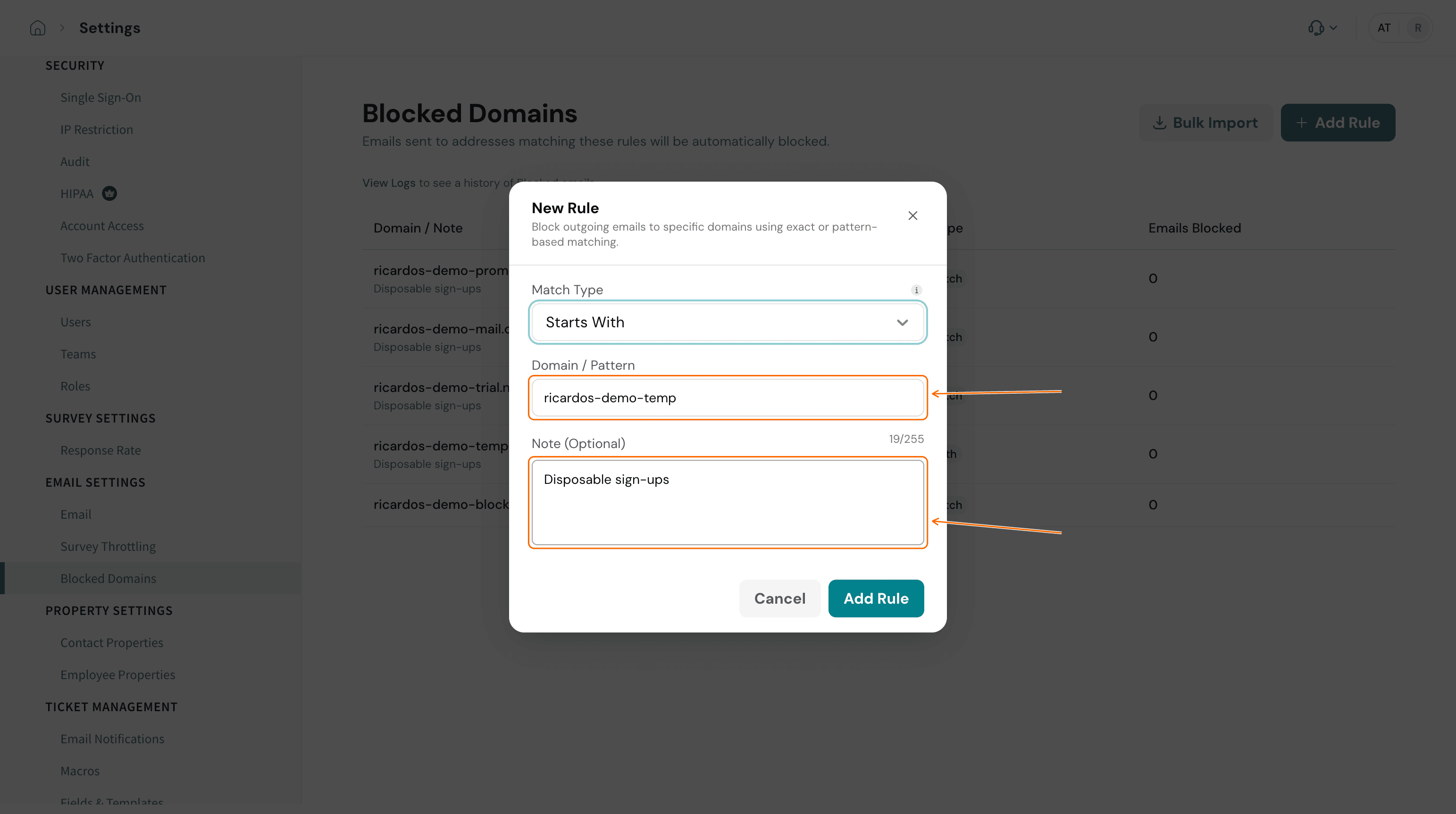
To block several domains at once, use Bulk Import instead, as described in step 7. - Open Match Type and choose how the rule should match. Point at the info icon next to Match Type to read what each option does.
- In Domain / Pattern, enter the domain or pattern. If you want to record why, add it under Note (Optional). The note appears beneath the domain in the rules list.
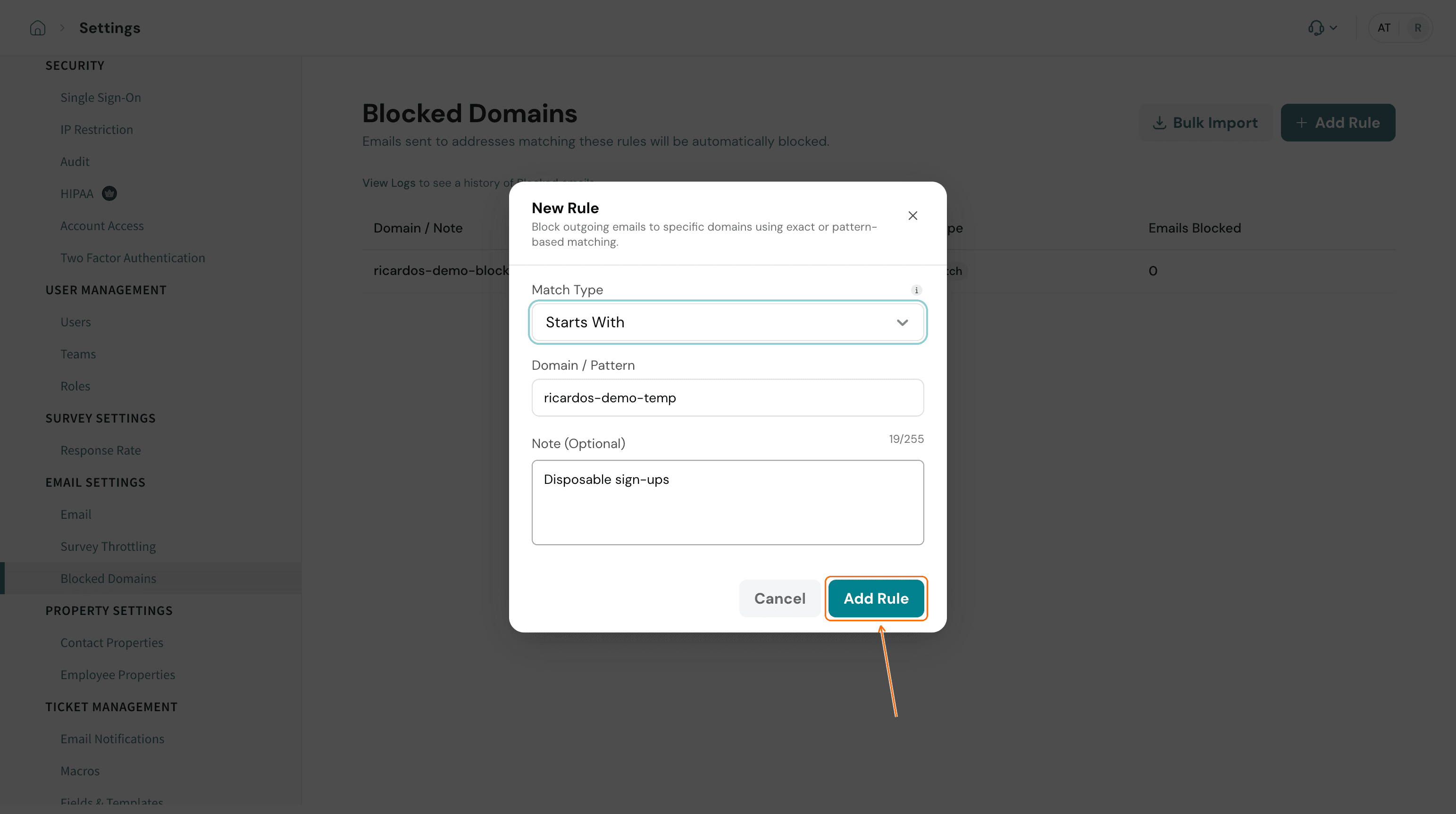
- Click Add Rule. The new rule appears in the table with its match type and an Emails Blocked count.
Troubleshooting
I cannot type any more in Domain / Pattern or Note (Optional). Each field accepts up to 255 characters.
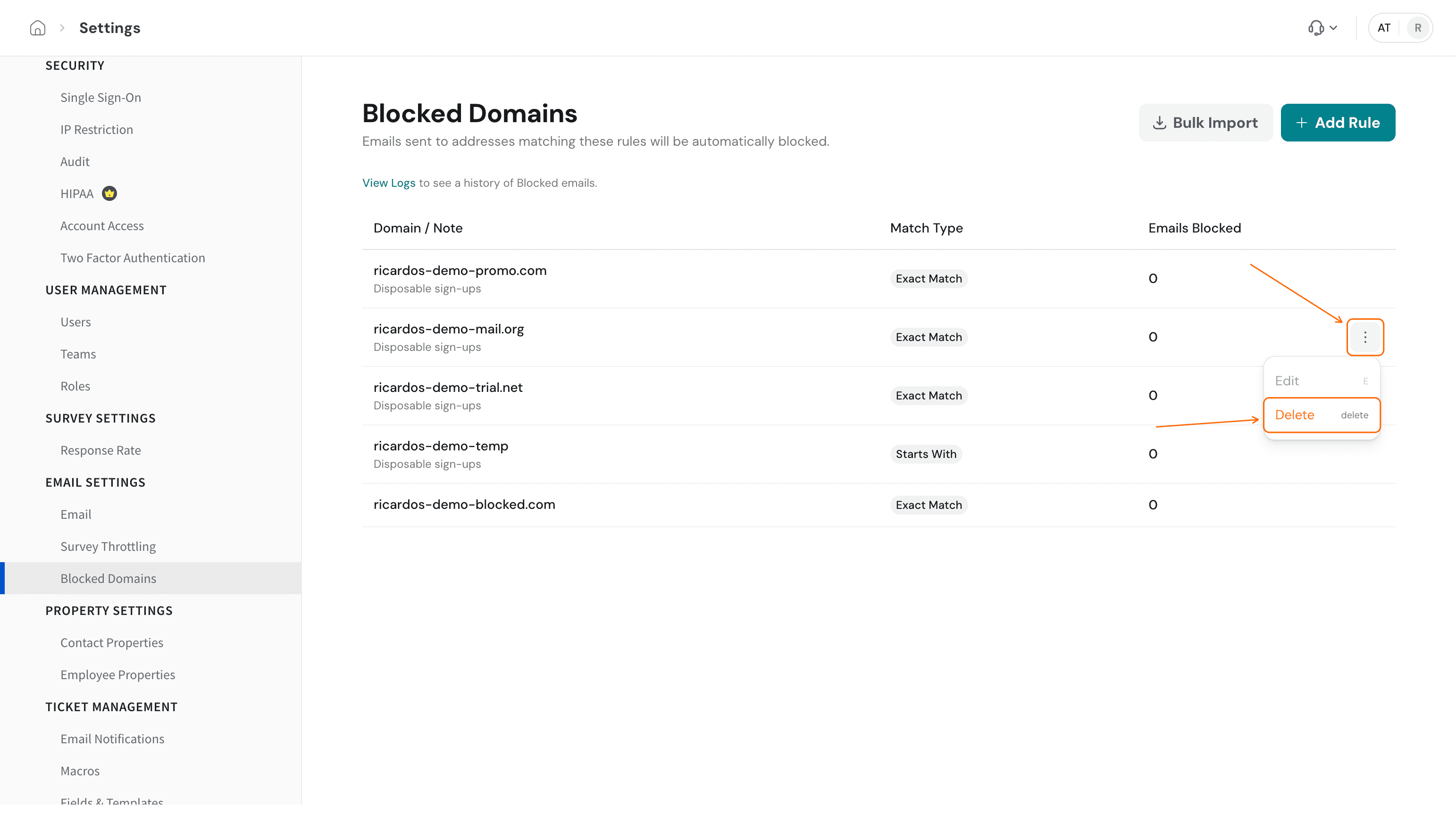
Edit is greyed out on a rule. The Edit option in the row menu is greyed out. To change a rule, delete it and add it again with the new domain, pattern or match type.
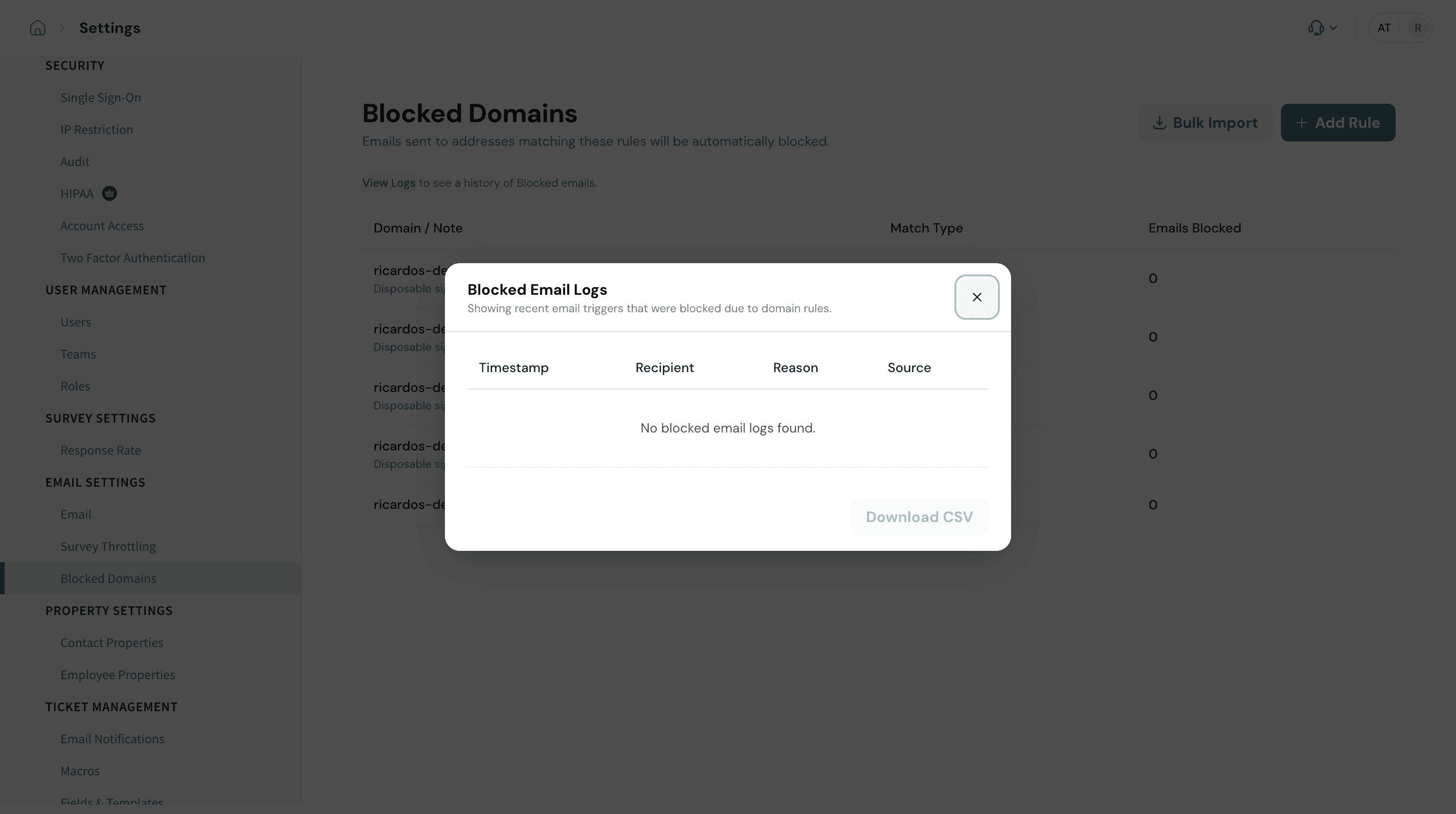
I added a rule, but the logs are empty and I expected a blocked email. The panel shows recent emails that were blocked by domain rules. If you expect an email to have been blocked and it is not listed, contact support and include the rule, its match type and the address you expected it to catch. To check whether an email was held back, open Email Logs: a row with N/A under SEND DATE means the email was not sent. See How to Access Various Logs in SurveySparrow.
My survey or outgoing emails are blocked, but I have no rules. The Blocked Domains list only holds rules you add. A block that SurveySparrow applies because of suspected phishing or abuse is handled separately. See Survey blocked due to Phishing or Abusive: blocklist + troubleshooting.
Recipients say your survey emails land in spam. That is a mail-filtering issue on the recipient's side, not a Blocked Domains rule. See Prevent your emails from landing in spam.
FAQ
Is there a way to block an email domain in SurveySparrow? Yes. Go to Settings, then Blocked Domains under Email Settings, and click Add Rule. Choose a match type, enter the domain or pattern, and save the rule. The page says emails sent to matching addresses are automatically blocked.
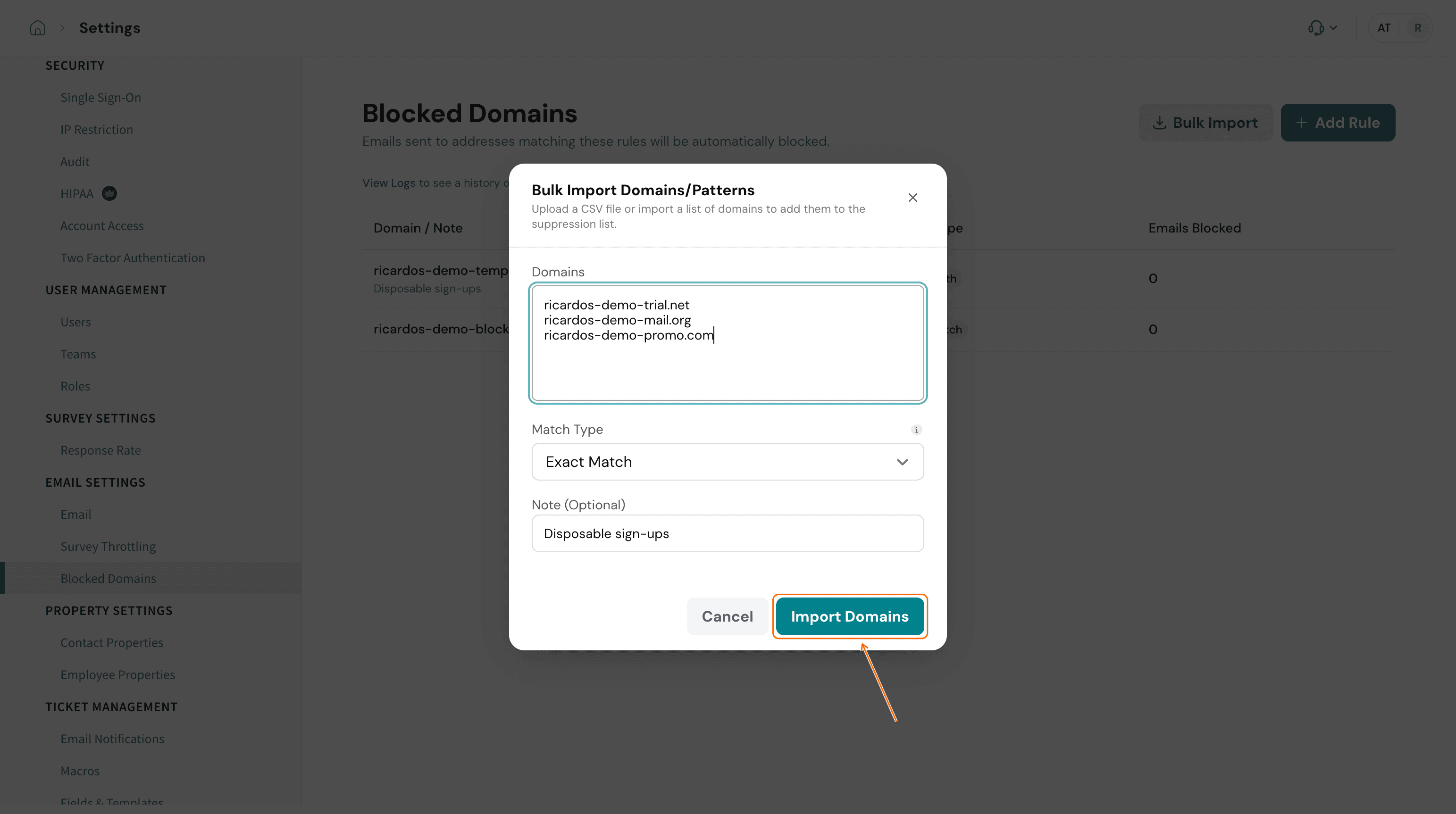
Can I block many domains at once? Yes. Click Bulk Import, enter one domain per line, choose a match type and click Import Domains. Every domain in the list gets the same match type and note, so import domains that need different match types in separate batches.
Does Blocked Domains stop me receiving emails from a domain? No. The page blocks emails that SurveySparrow sends to matching addresses. To stop receiving email from a domain, use the blocking tools in your own email provider.
Can I change a rule after I add it? The Edit option in the row menu is greyed out. Delete the rule and add it again.
What is the Emails Blocked count on a new rule? Each rule has an Emails Blocked count in the table, and a new rule starts at 0.
What is the difference between this page and a "blocked" message about my survey? Blocked Domains holds the rules you create. A message that SurveySparrow has blocked a survey or your outgoing emails is a separate matter, covered in Survey blocked due to Phishing or Abusive: blocklist + troubleshooting.
Related articles
- Managing your Account Settings
- How to Access Various Logs in SurveySparrow
- Custom Email Address to Share Surveys
- How to Share Surveys Via Email?
- Prevent your emails from landing in spam
- Survey blocked due to Phishing or Abusive: blocklist + troubleshooting
Please reach out to us if you have any questions. We are just a chat away!
Was this helpful?