
How to refer a friend to SurveySparrow

Here is how to refer a friend to SurveySparrow: copy your personal referral link from the profile menu or from Settings, then send it by message or email. When your friend joins through your link, you and your friend each get 50 responses. A survey can also carry an affiliate link, which belongs to a separate program.
Prerequisites
- To refer a friend, you only need to be logged in; your referral link is personal to your account.
- To set an affiliate link on a survey, you need an affiliate link from the Affiliate Program and a survey open in the builder.
How do I refer a friend to SurveySparrow?
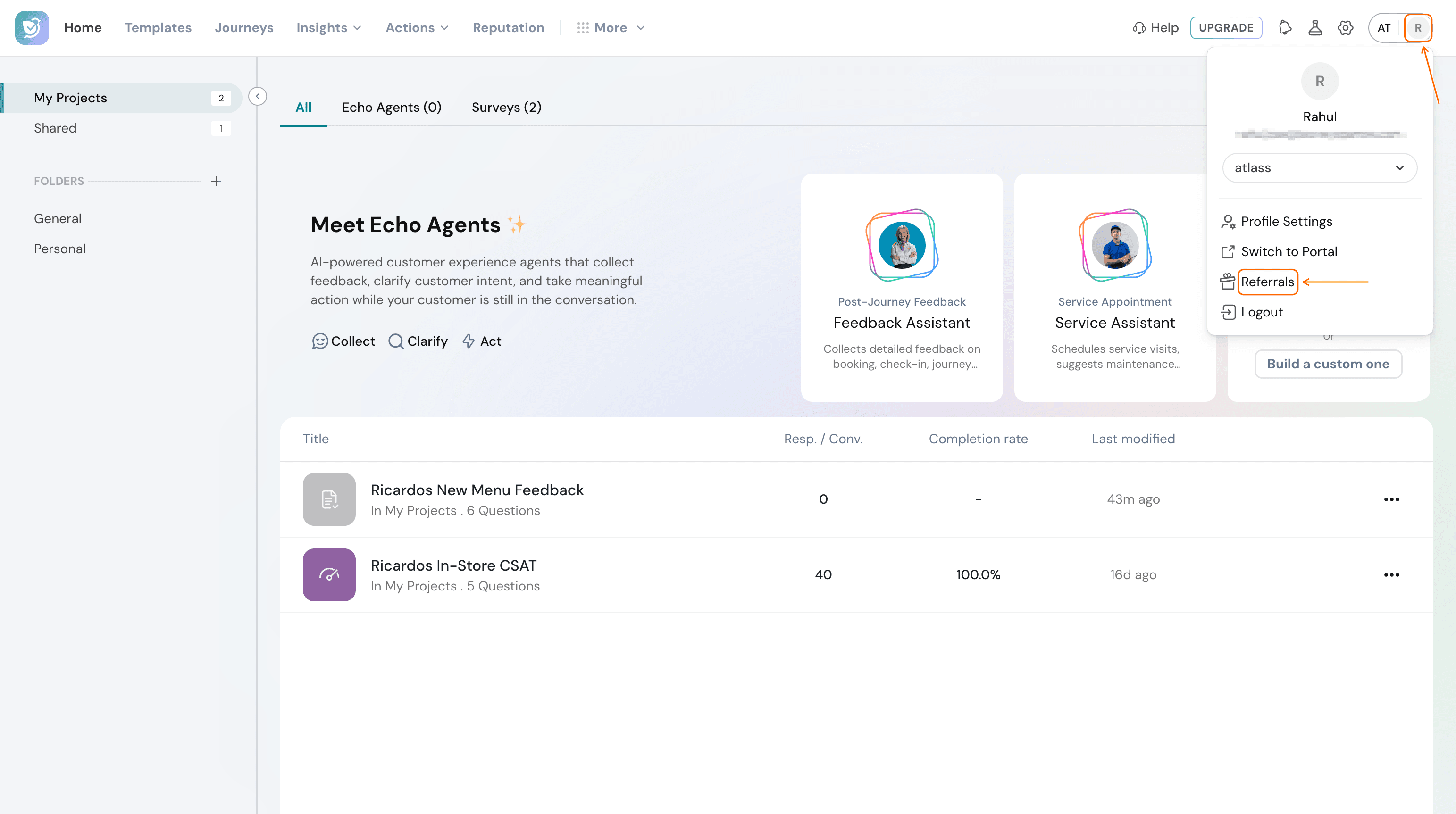
- Select your profile avatar at the top right of the page, then select Referrals.
- Select Copy Link to copy your personal referral link.
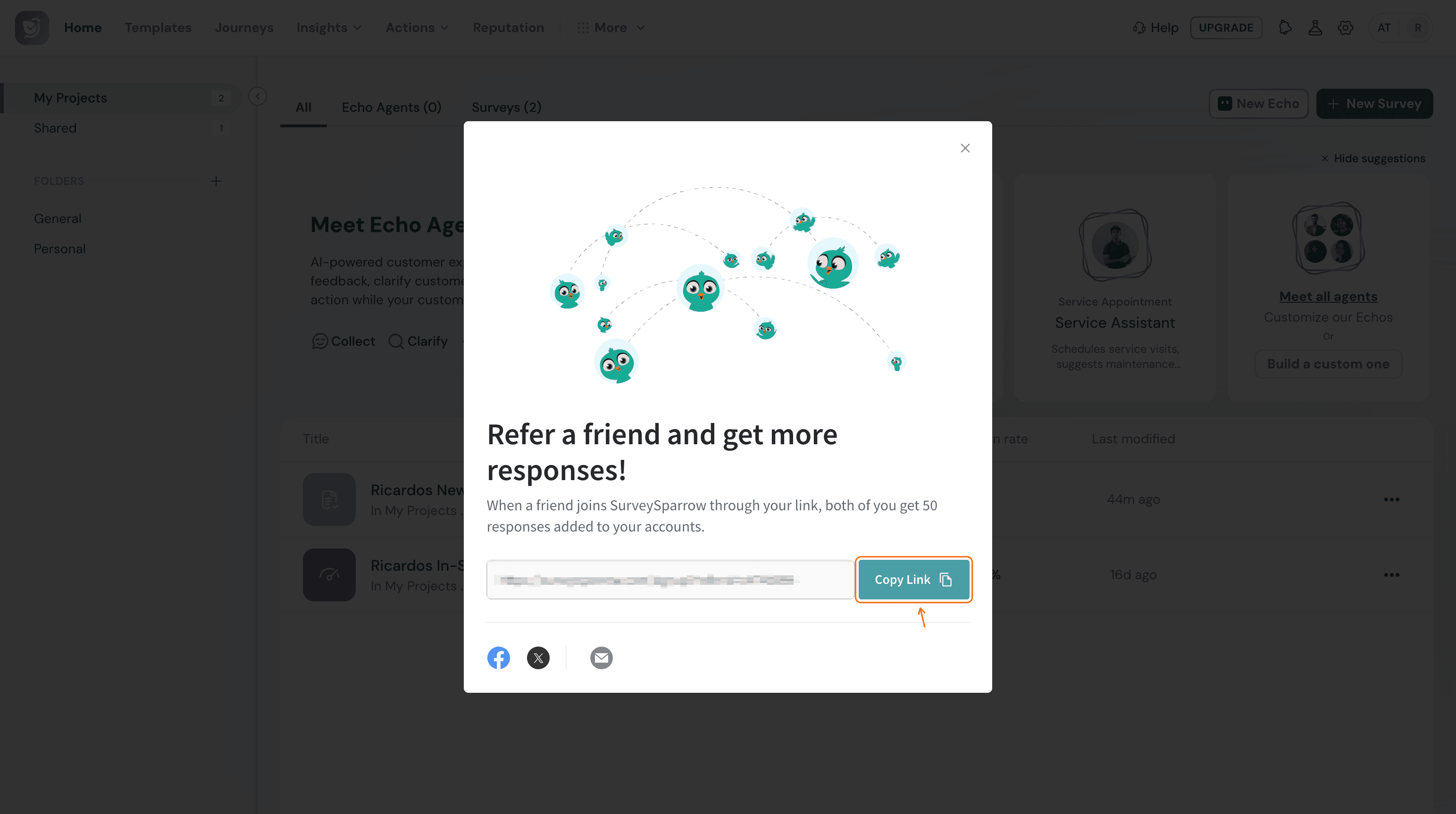
- Paste the link into a message to your friend.
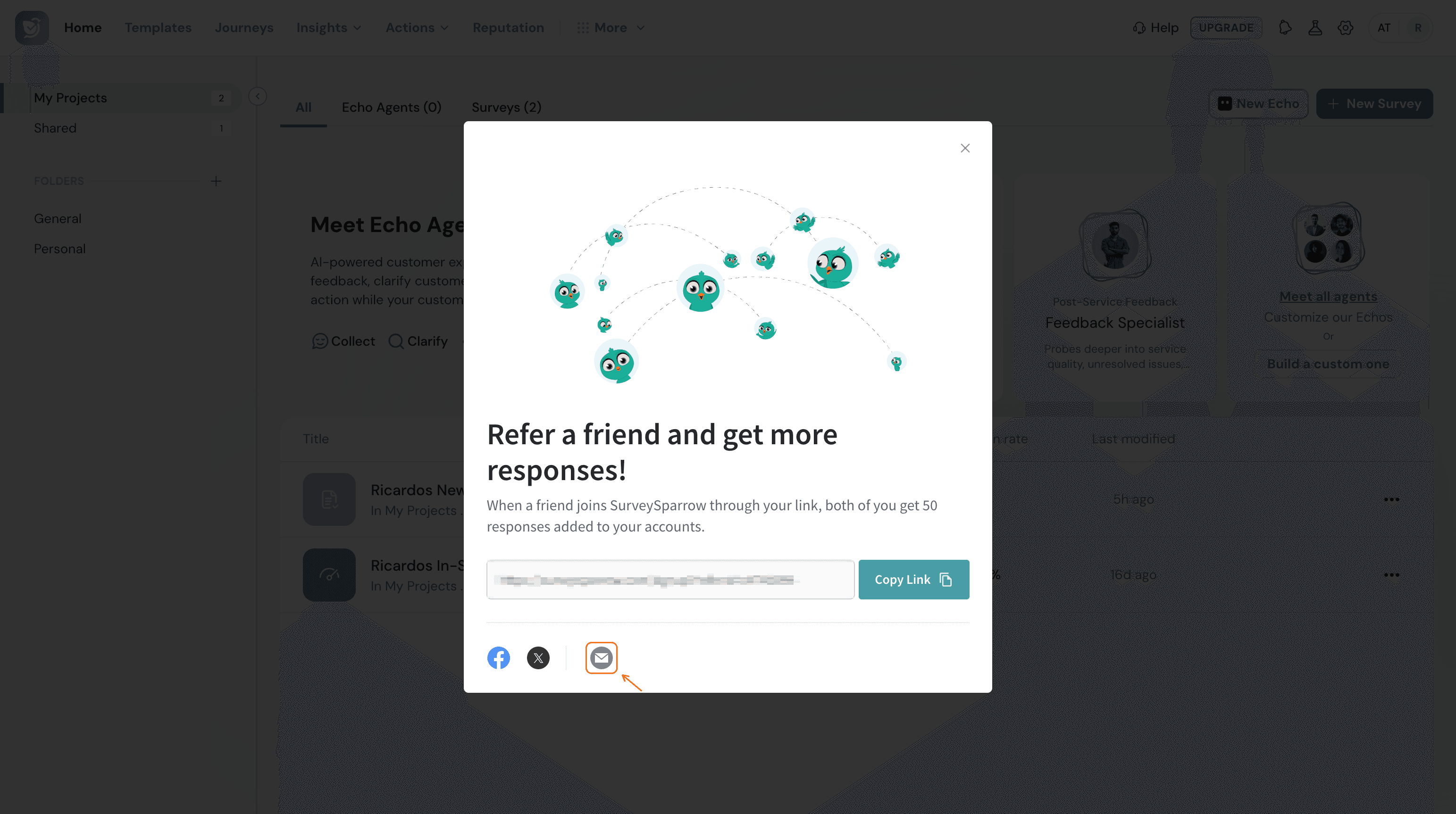
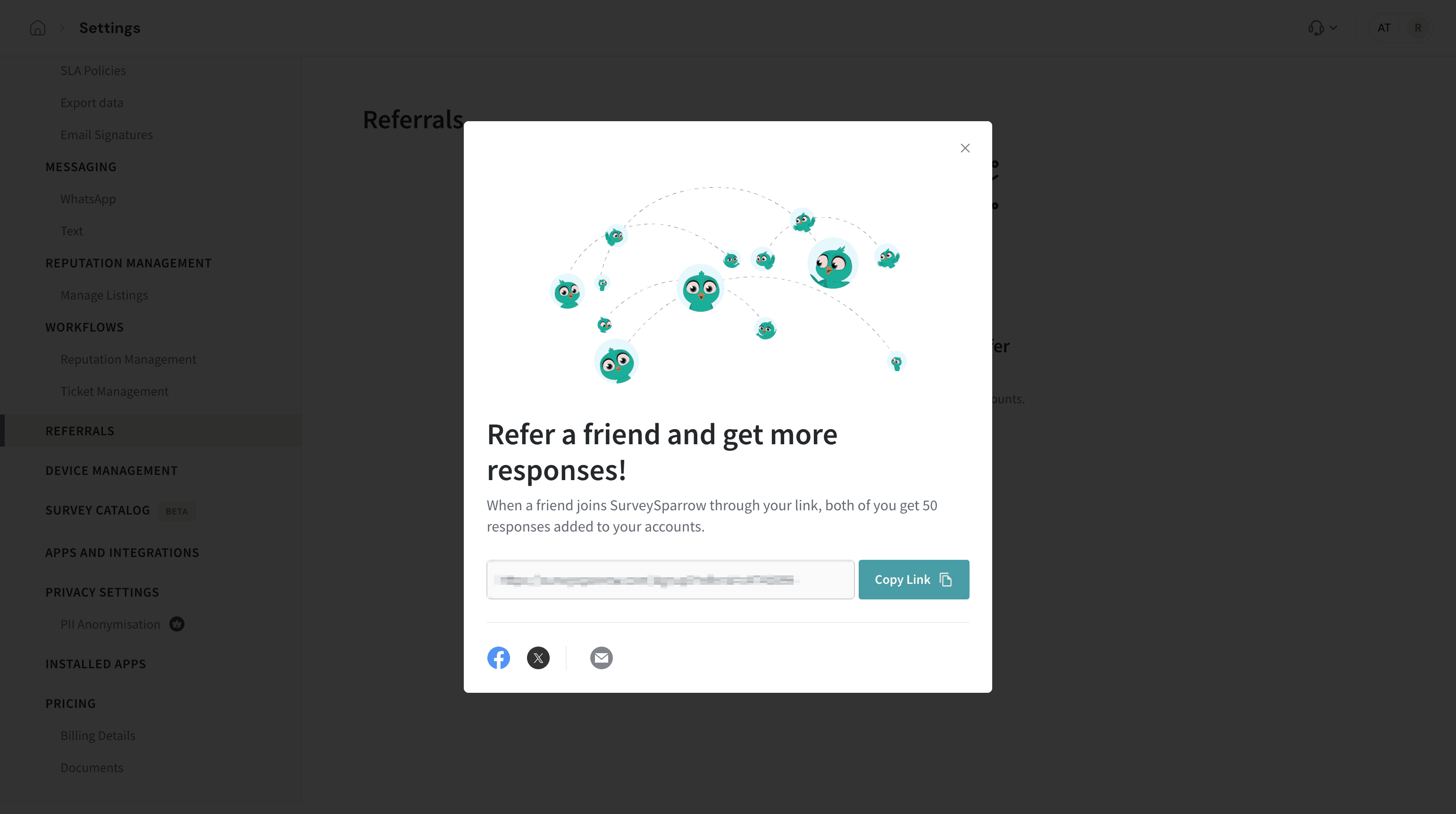
The Facebook and X icons under the link open that network's share page in a new tab. The email icon opens the invite form described in the next section.
How do I invite friends to SurveySparrow by email?
- Open the referral window and select the email icon.
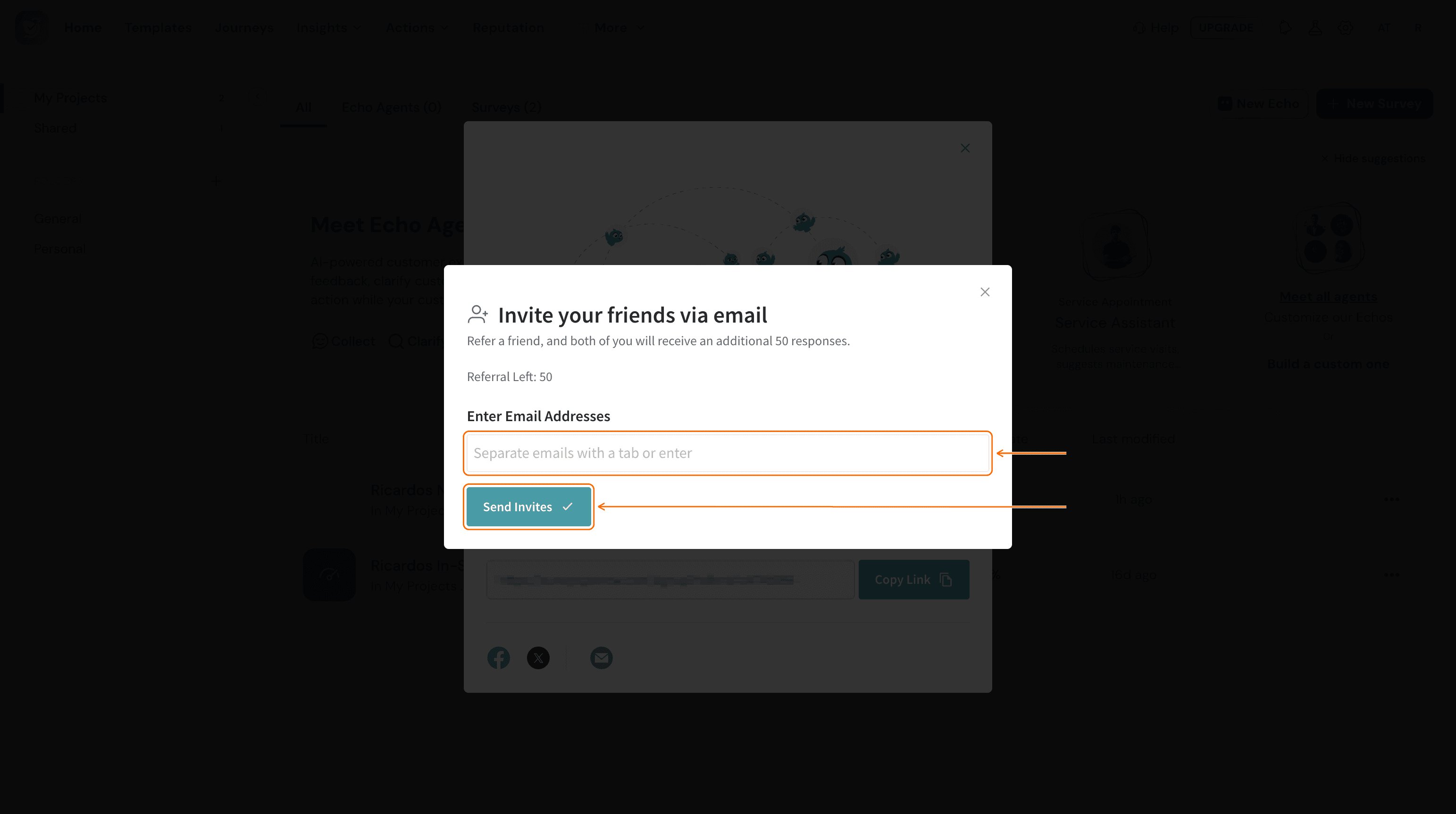
- Enter your friend's email address, then select Send Invites. To invite several people, separate the addresses with a tab or press Enter after each one.
How do I open my referrals from Settings?
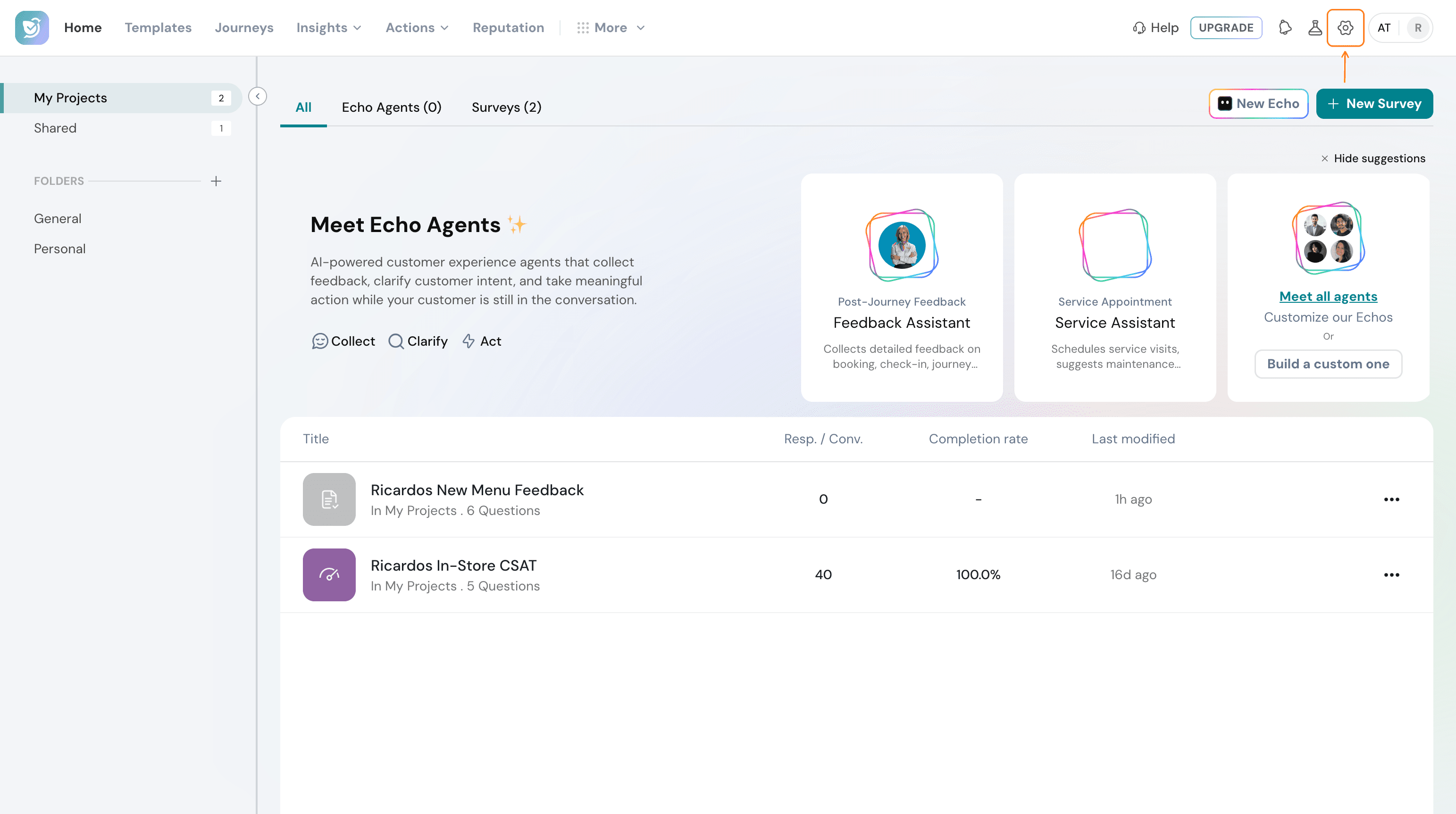
- Select the gear icon (Settings) at the top right of the page.
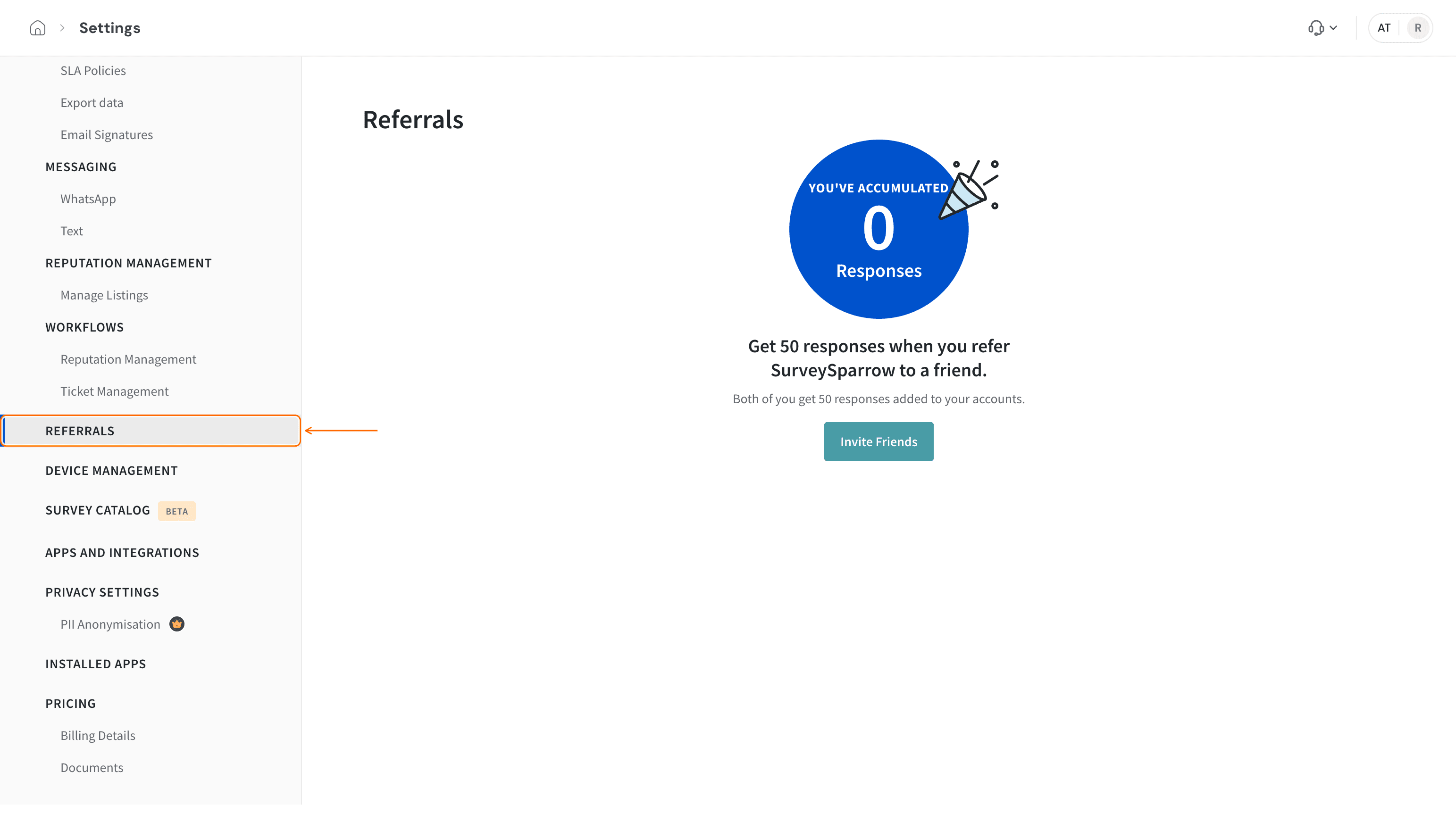
- In the left sidebar, select REFERRALS.
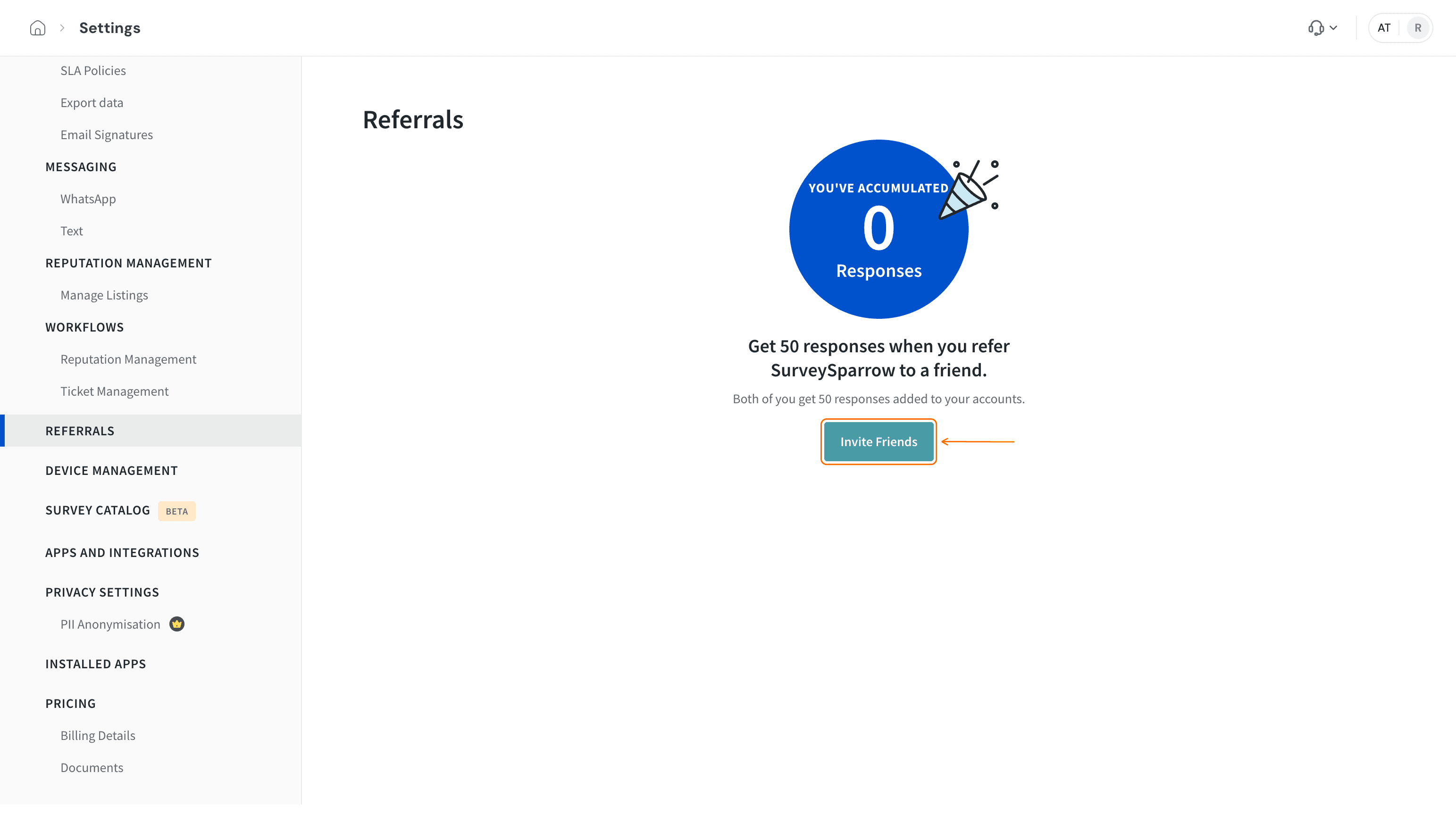
- Select Invite Friends to open the same referral window, with your link, Copy Link and the share icons.
The page also shows how many responses you have accumulated through referrals.
What is the Affiliate Link in a survey's design?
The Affiliate Link setting is part of a survey's design and is separate from the referral link. It lets you add your affiliate link to a survey so you can earn commission through the Affiliate Program.
Note: You need to be a member of SurveySparrow's Affiliate Program to use this setting. The program provides your affiliate link, and the Affiliate Program link under the toggle takes you to it.
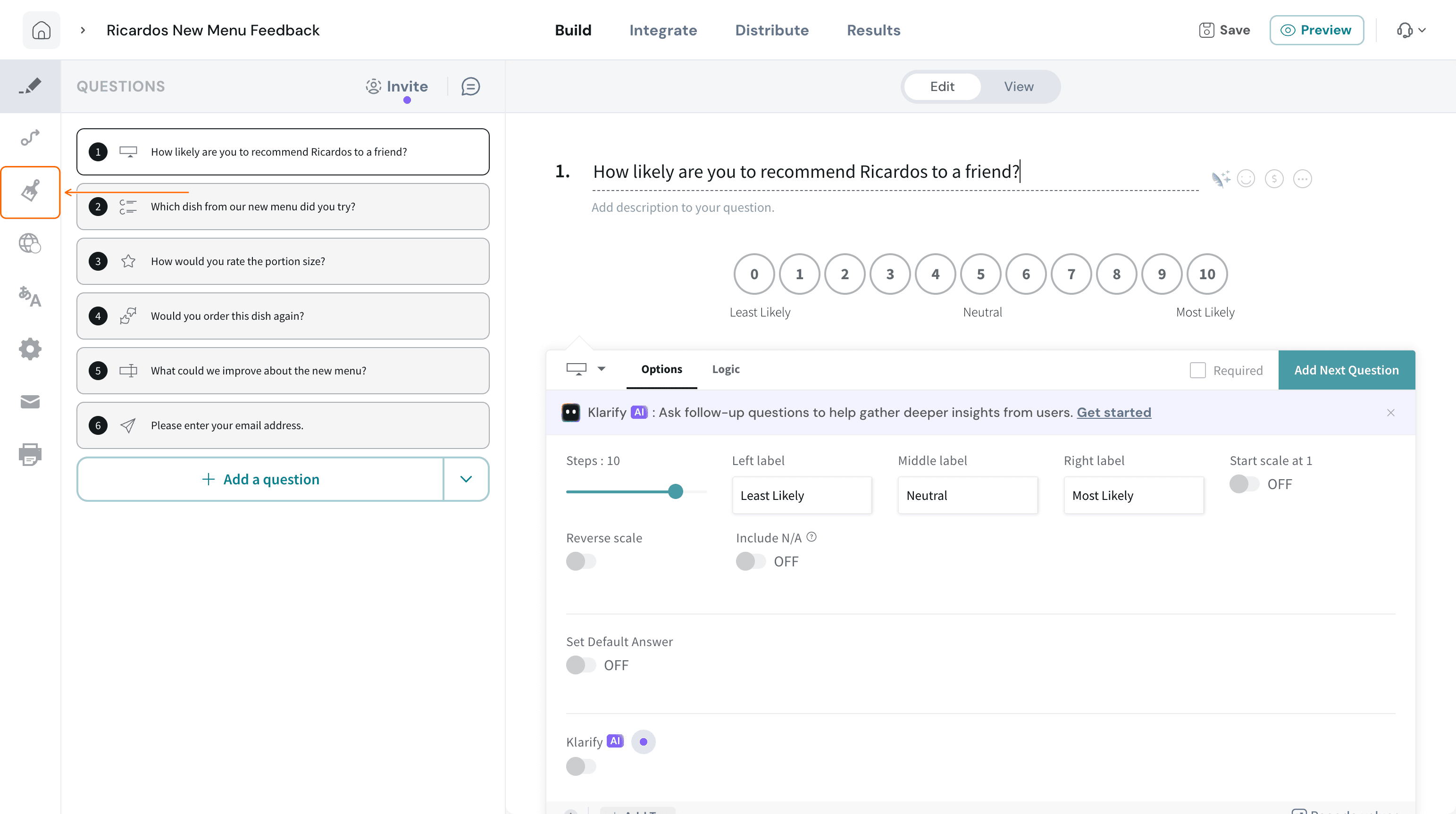
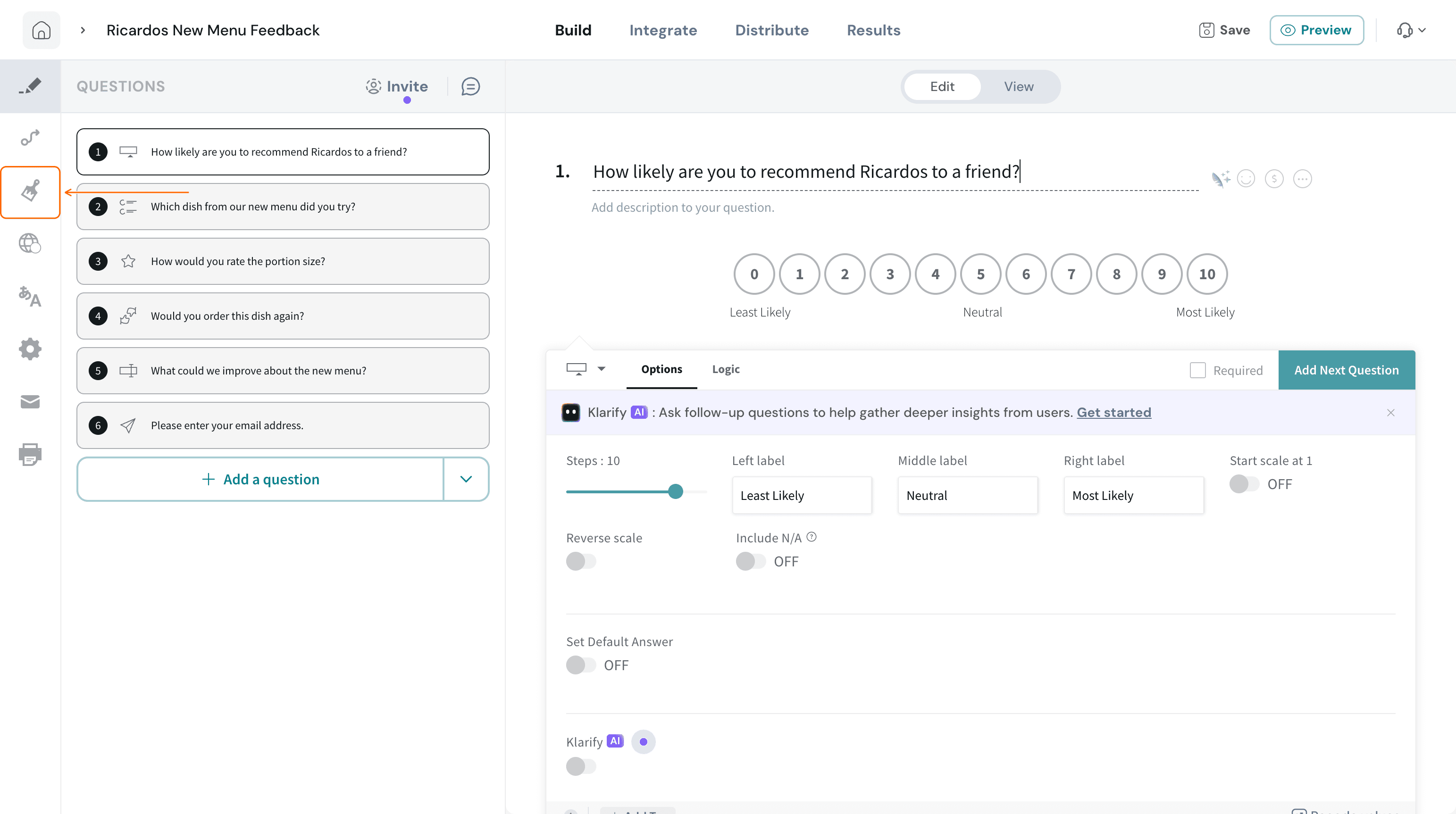
- Open your survey in the builder, then select the Design icon in the left sidebar.
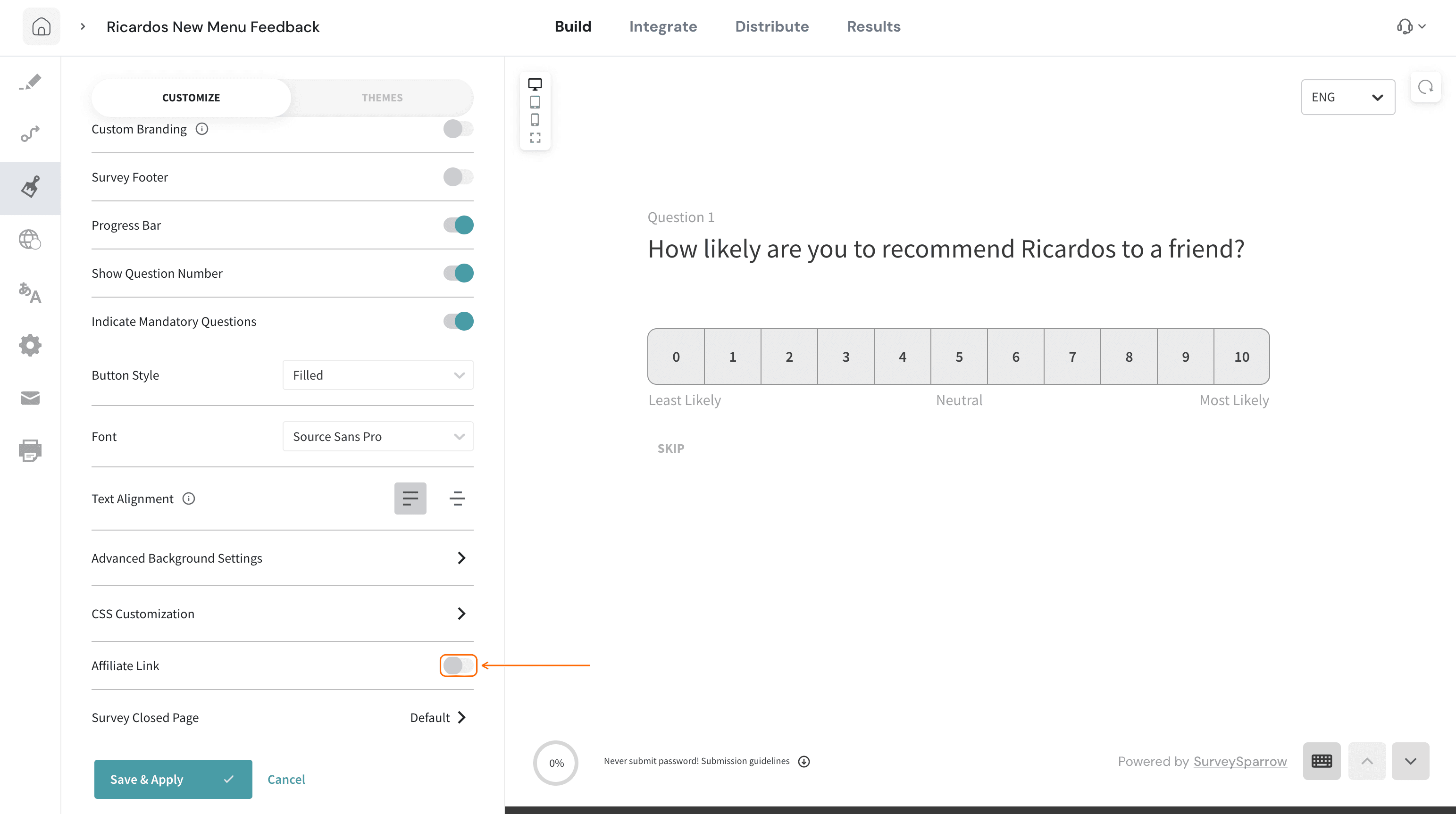
- On the CUSTOMIZE tab, scroll down to Affiliate Link and turn on the toggle.
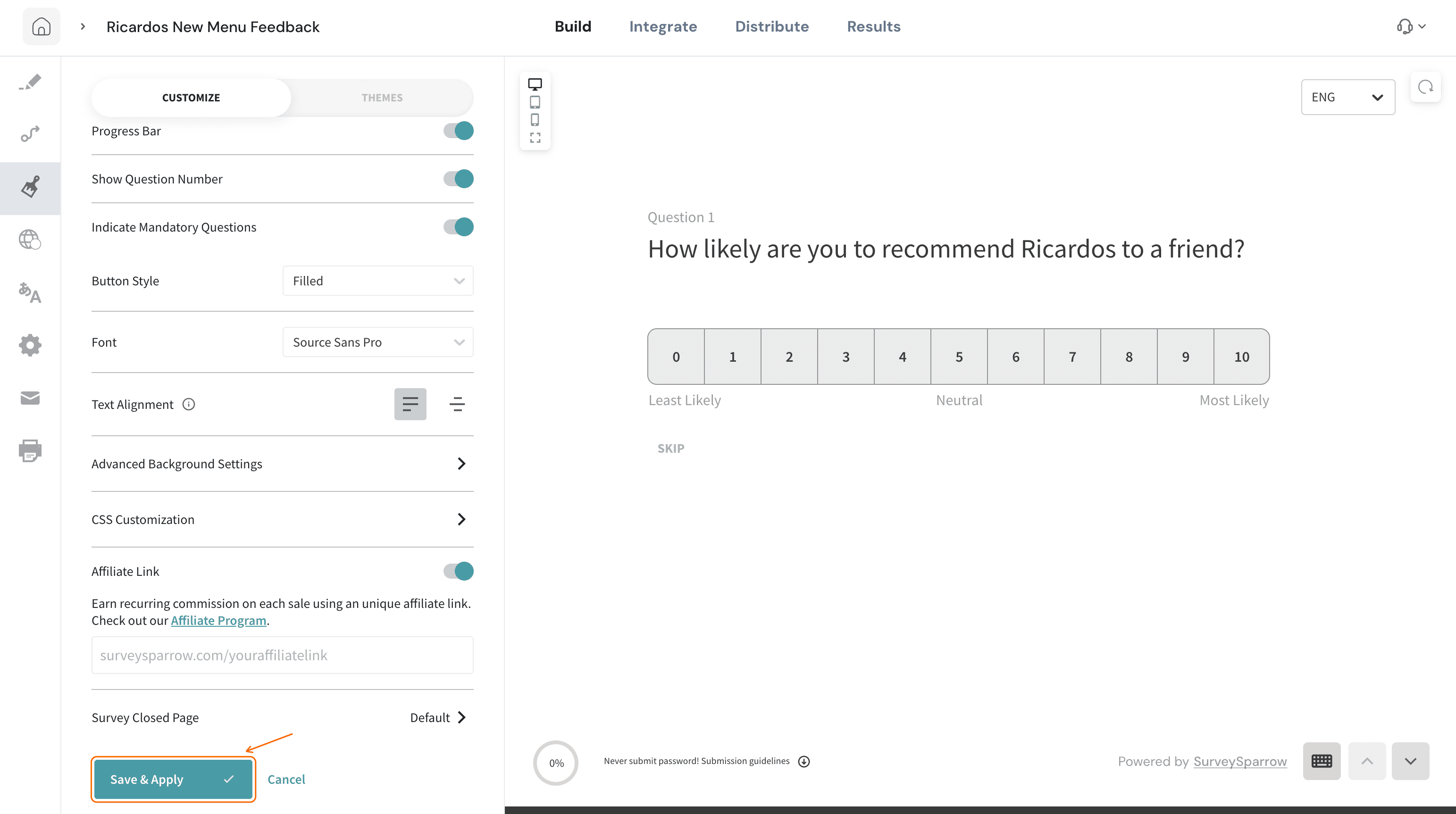
- Paste your affiliate link into the field that appears below the toggle.
- Select Save & Apply.
Referral link or affiliate link: which one do I use?
| - | Referral link | Affiliate Link |
|---|---|---|
Where to find it | Profile menu ▸ Referrals, or Settings ▸ REFERRALS | Survey builder ▸ Design ▸ CUSTOMIZE ▸ Affiliate Link |
What you share | Your personal referral link, or an email invite | Your affiliate link, added to a survey |
What it is for | Recommending SurveySparrow to a friend; you and your friend each get 50 responses | Adding your affiliate link to a survey as a member of the Affiliate Program |
Troubleshooting
I can't find Referrals in the profile menu
The profile avatar is in the top right of pages such as Home and Settings. The survey builder header does not show it, so select the home icon at the top left to return to Home first.
The link field under Affiliate Link is missing
The field appears only after you turn on the Affiliate Link toggle.
I turned on Affiliate Link by mistake
Select Cancel before you save. The toggle goes back to off.
The Referrals page shows 0 responses
The page shows the responses you have accumulated through referrals. If it reads 0, none have been added to your account yet.
FAQs
How does the SurveySparrow referral program work?
You share your personal referral link with a friend. When your friend joins SurveySparrow through your link, you and your friend each get 50 responses.
How do I share my referral code?
Your referral code is built into your personal referral link, so you share the link. Open the profile menu and select Referrals, or go to Settings and select REFERRALS, then Invite Friends. Select Copy Link in the window that opens.
Can I invite friends by email instead of sharing the link?
Yes. Select the email icon in the referral window, enter the addresses, and select Send Invites.
Is the Affiliate Link the same as my referral link?
No. The referral link gives you and your friend responses. The Affiliate Link setting in a survey's design is for adding your affiliate link as a member of the Affiliate Program.
Where do I join the Affiliate Program?
Use the Affiliate Program link under the Affiliate Link toggle, or visit the Affiliate Program page.
Related articles
Still need help? Contact our support team at [email protected].
Was this helpful?