
What does the Bulk Choice Addition feature do?

The Bulk Choice Addition feature is an enhancement meant for the multiple-choice question type. You no longer have to add the options one after the other. With the Bulk Choice Addition feature, you can add all the choices in a dialogue box. It will get automatically updated as separate options.
How it works:
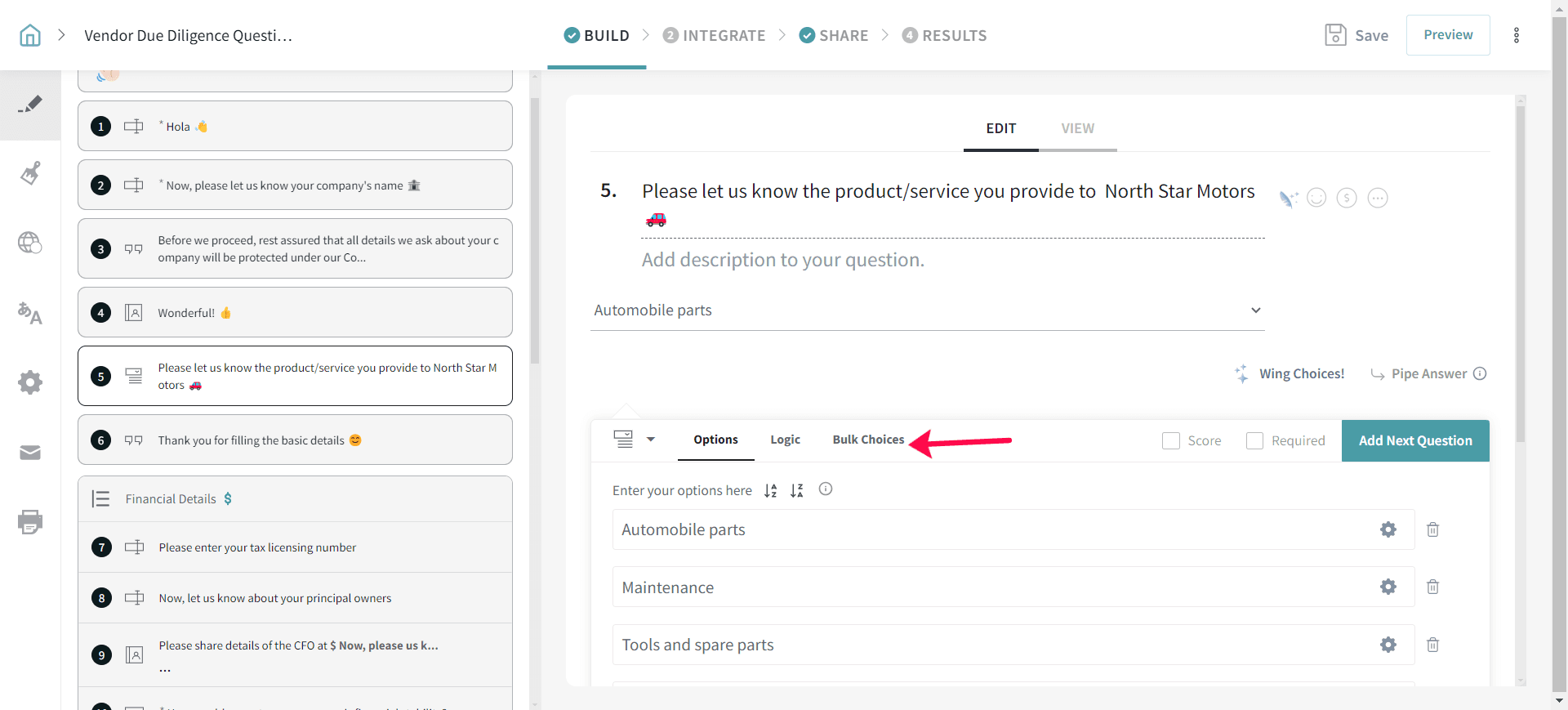
1. After creating a multiple-choice question, select Bulk Choices.
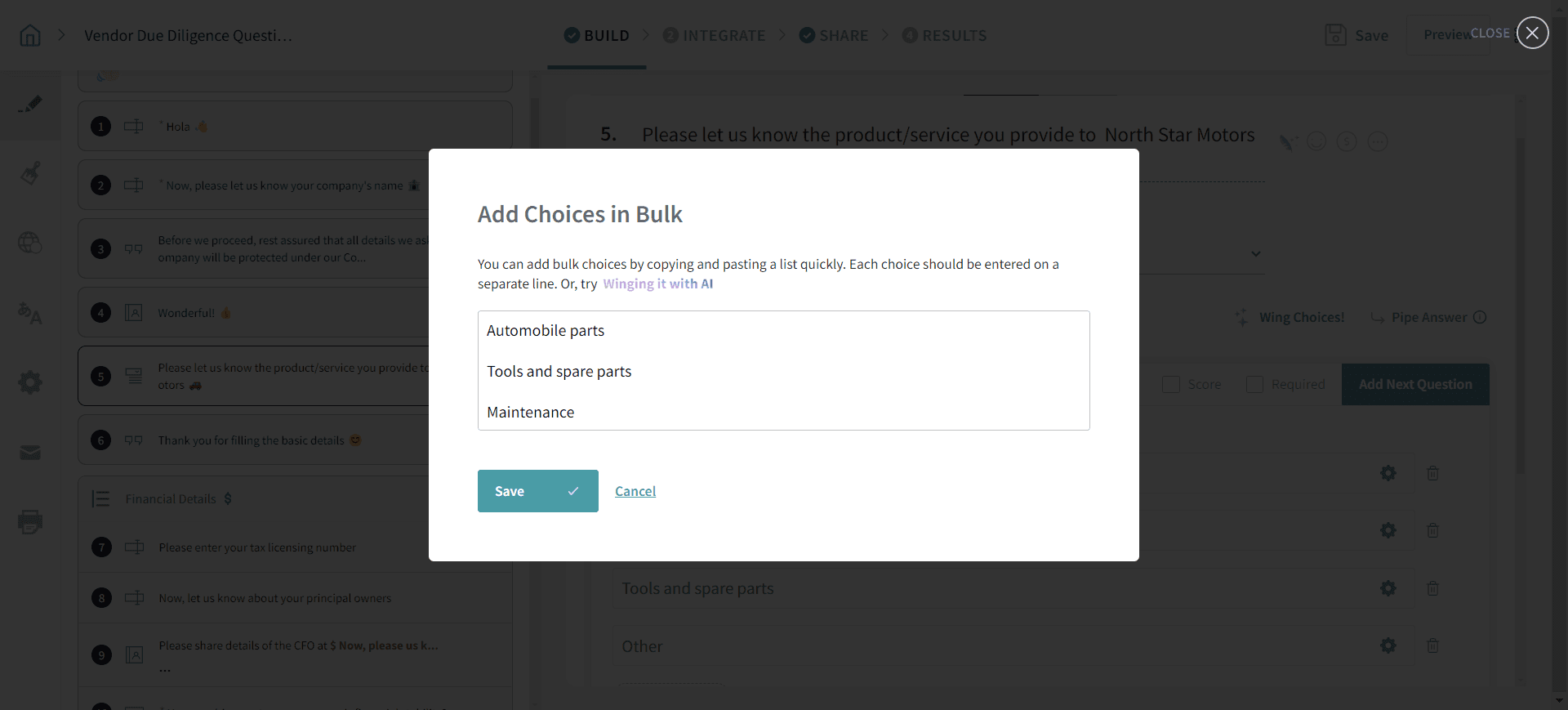
2. Copy-paste or type the list of choices and click Save.
Please reach out to us if you have any questions. We are just a chat away!