
How to reset my password?

Resetting your SurveySparrow account's password.
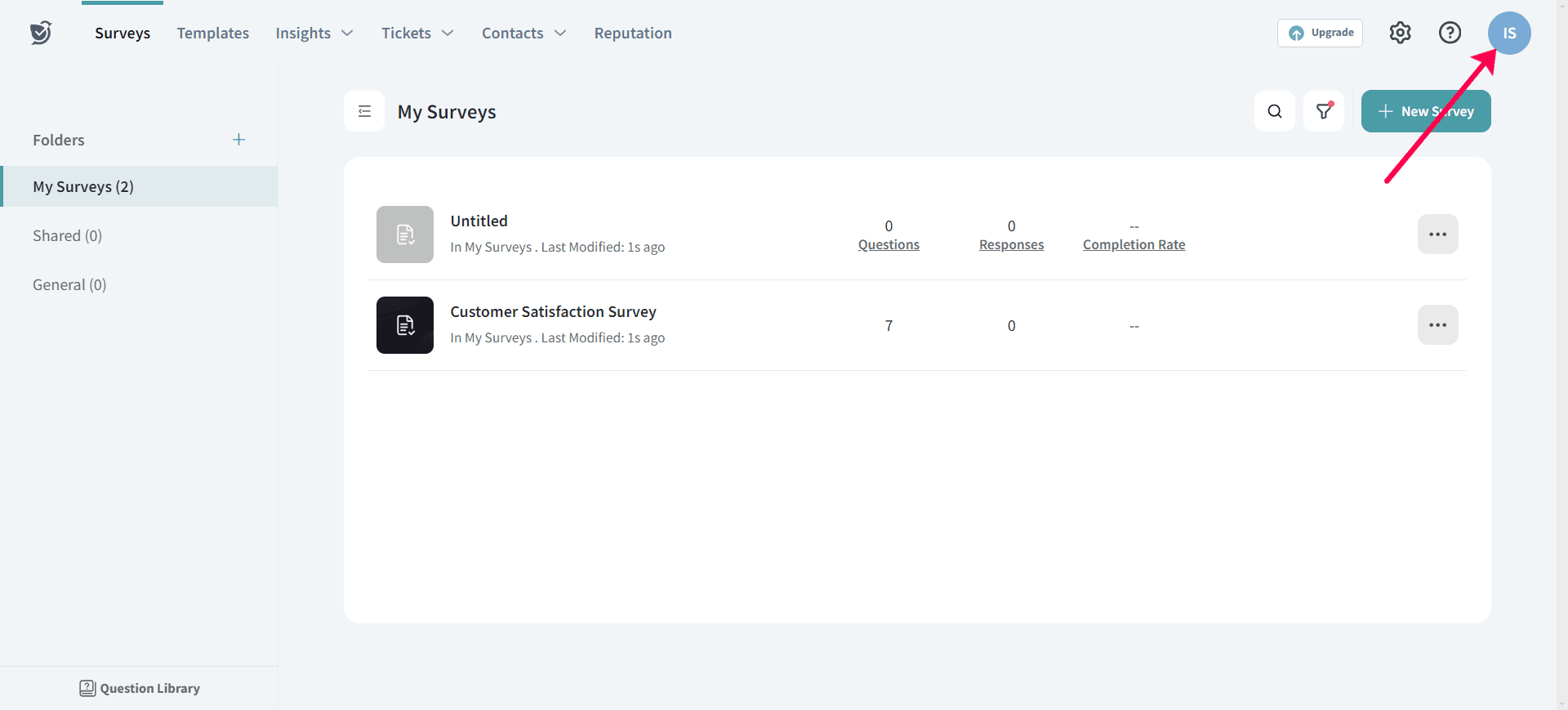
1. To reset your password, click on Profile icon.
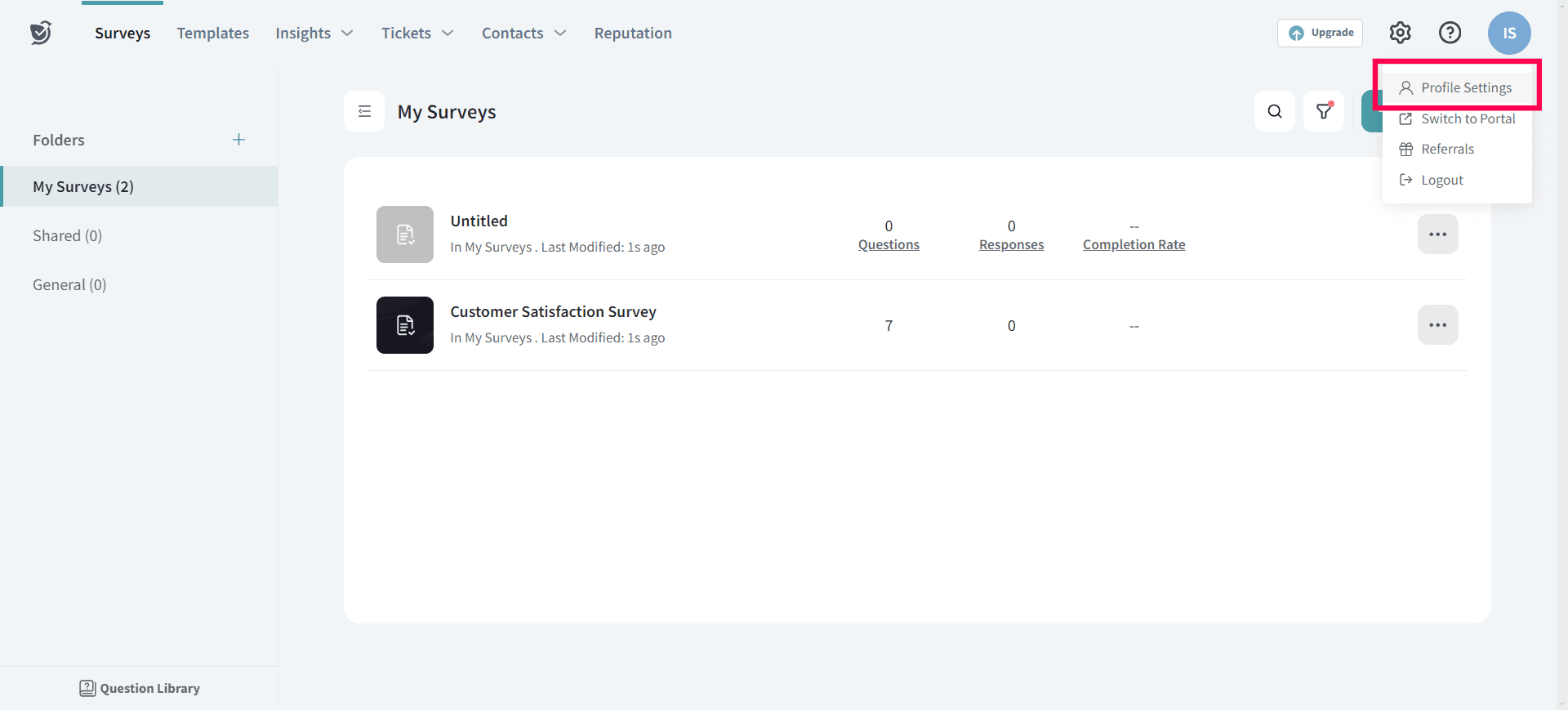
2. Choose Profile Settings option.
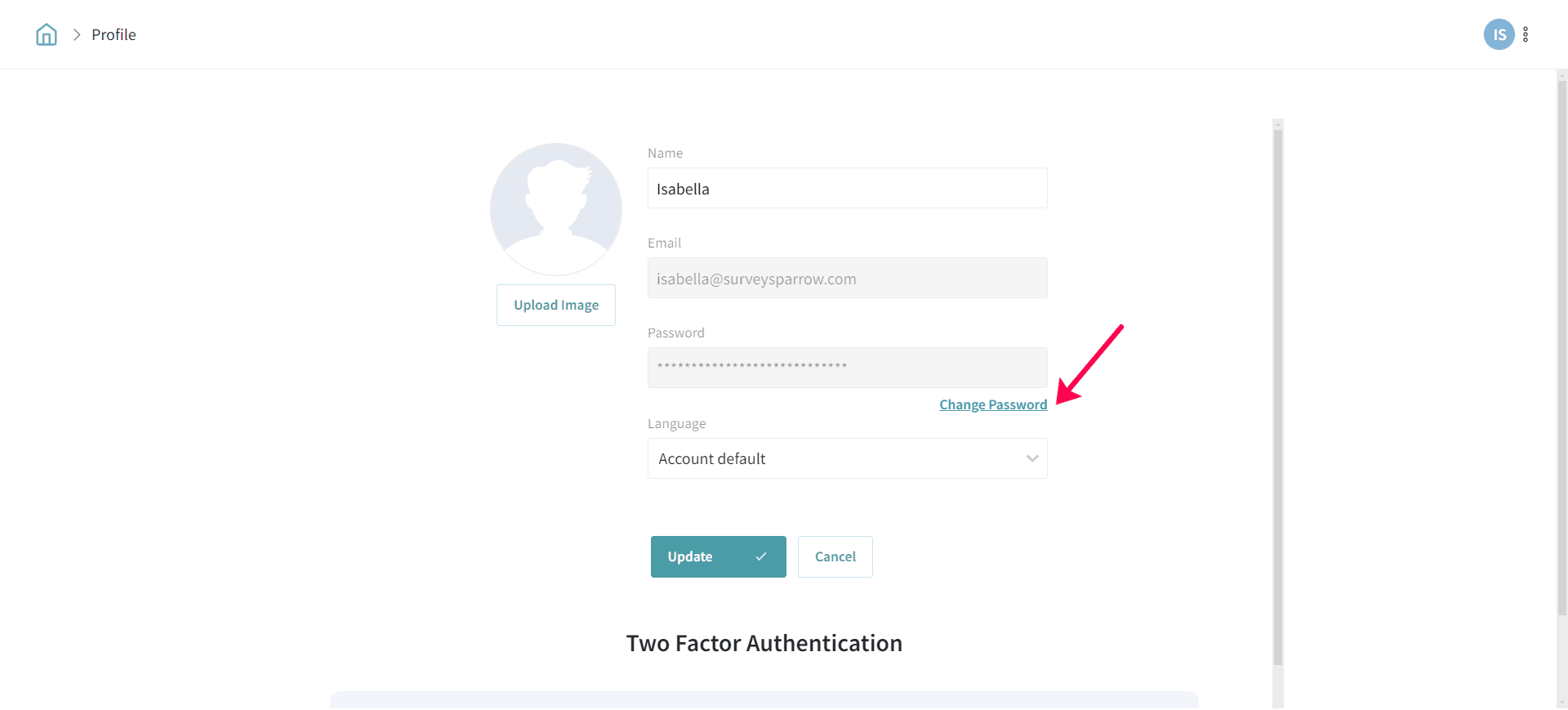
3. Now, under profile settings, click on the Change Password option.
4. Enter your new password and reconfirm it, then click on Update to use the new password.
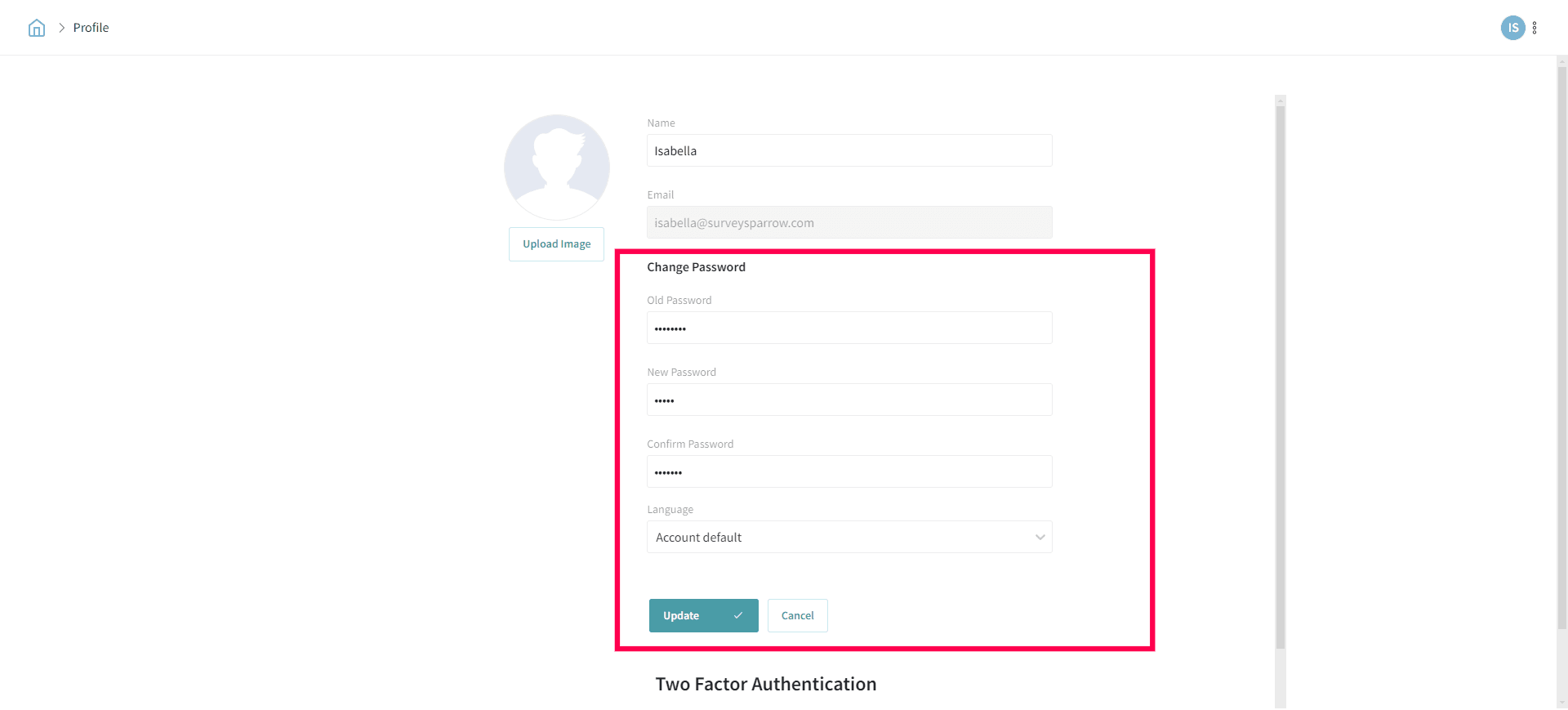
That’s all! Your new password is set :)