
How to remove SurveySparrow branding from your surveys

To remove SurveySparrow branding, turn off the SurveySparrow Badge in your account settings. The "Powered by SurveySparrow" line then disappears from your existing and future surveys. You can also add your own brand name or logo to any survey from its Design panel, so respondents see your brand instead of ours.
Prerequisites
- Access to your account's Settings page. If a Settings page says you are not authorized, contact your SurveySparrow administrator.
- A survey open in the builder, to add your own brand name or logo.
How do I remove the SurveySparrow badge from all my surveys?
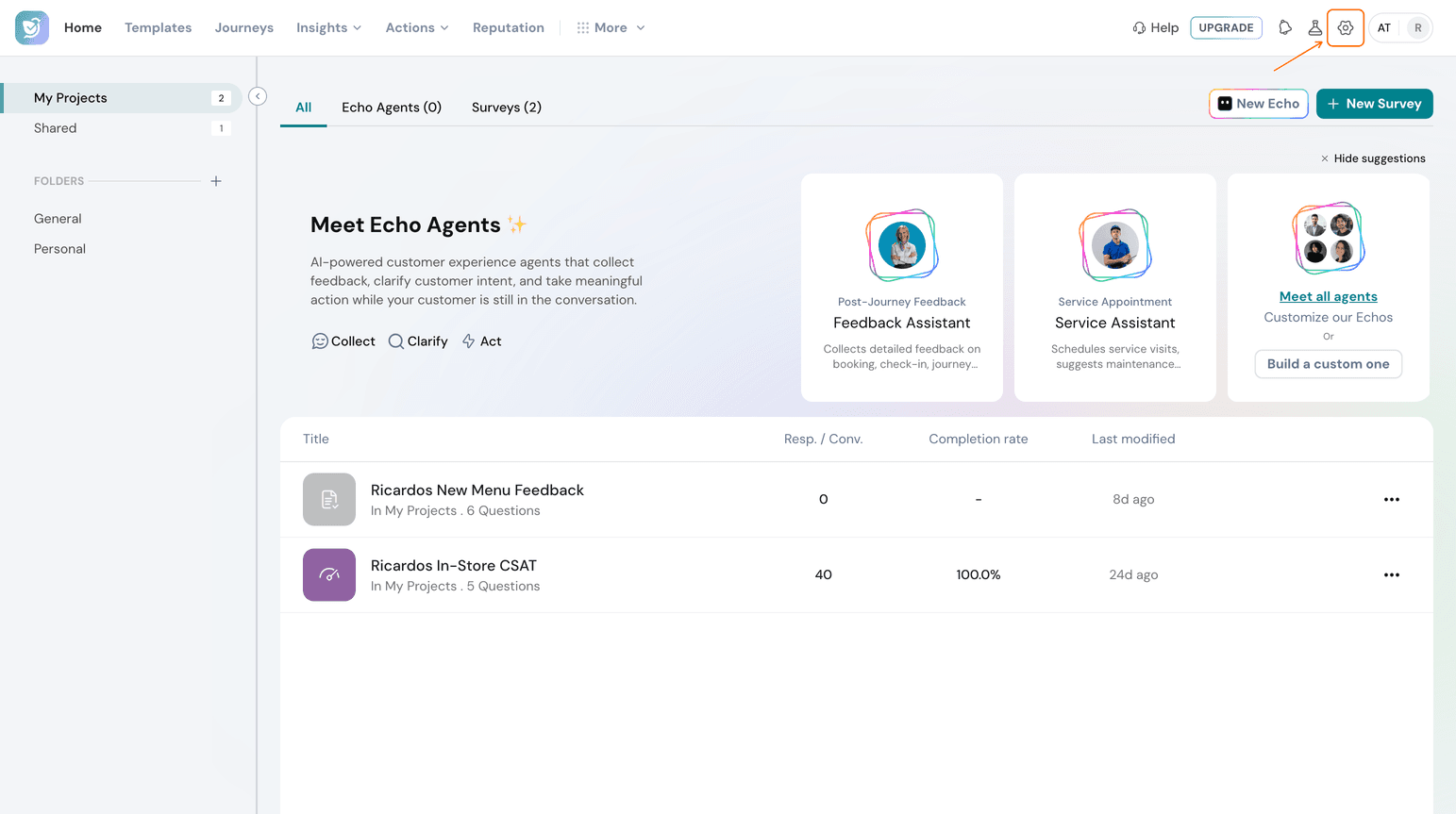
- Select the Settings icon at the top right of the Home page.
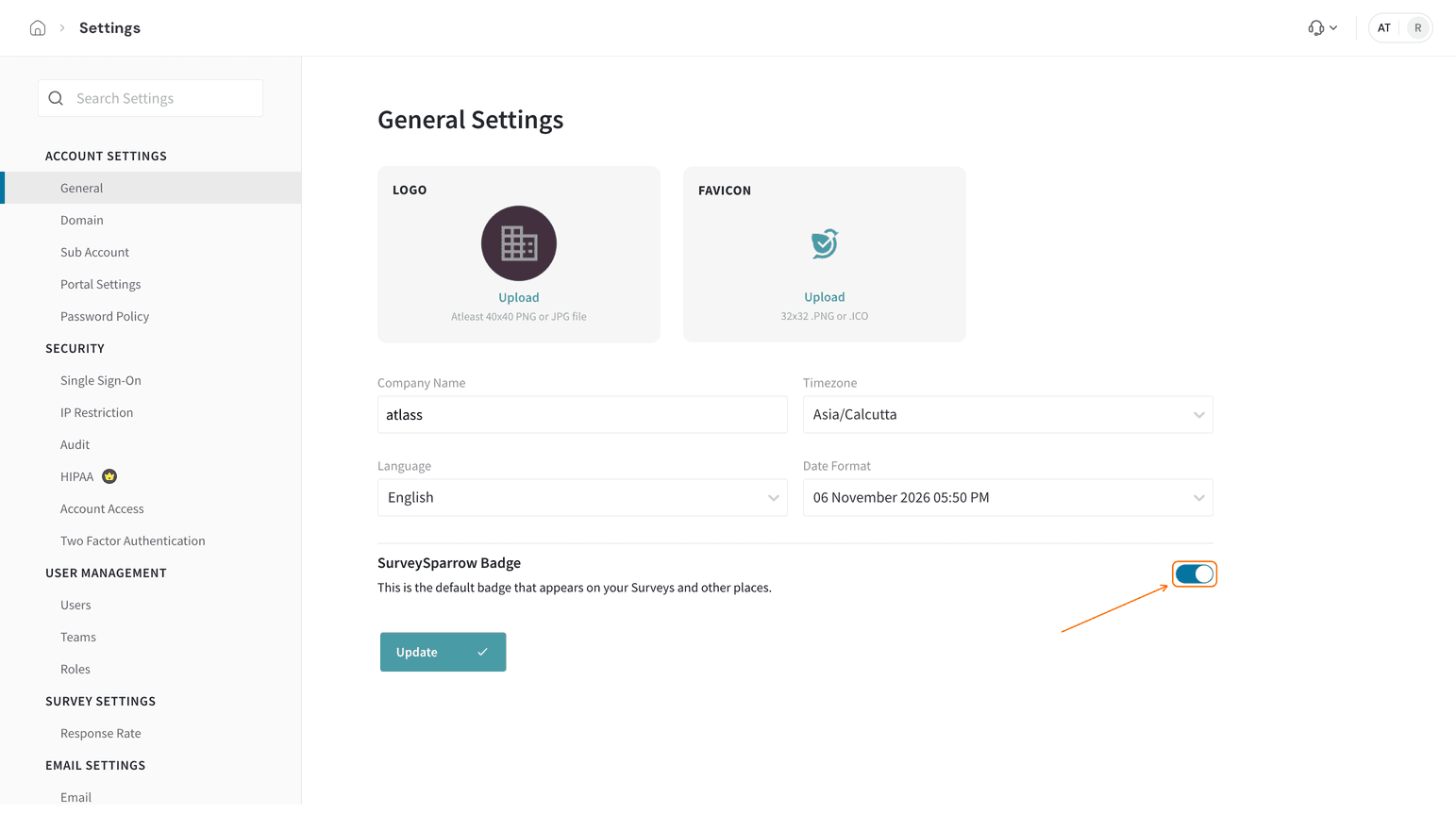
- Under Account Settings, General is already selected. Turn off the SurveySparrow Badge toggle.
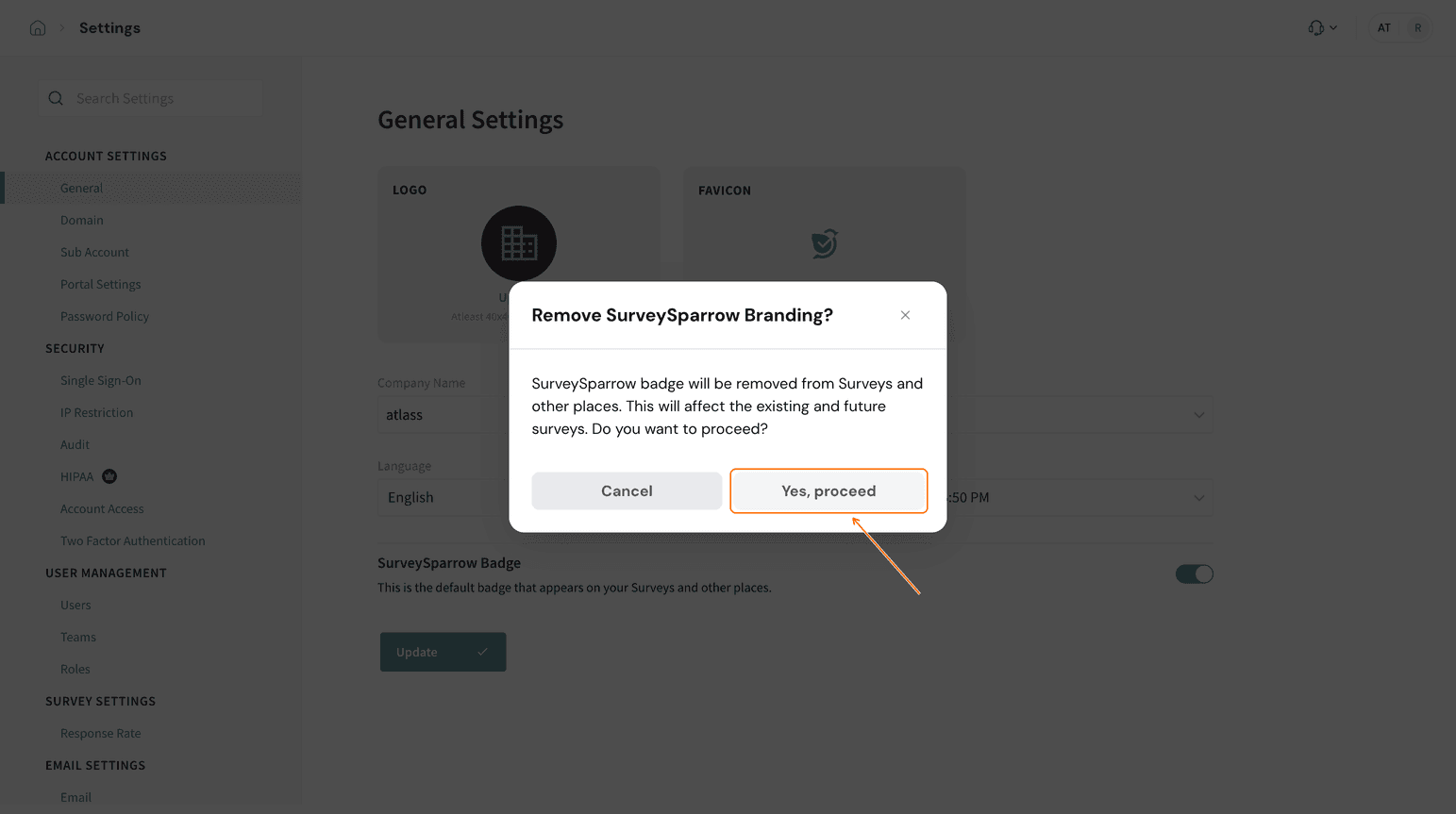
- In the dialog that asks whether to remove SurveySparrow branding, select Yes, proceed.
- Select Update to save the change.
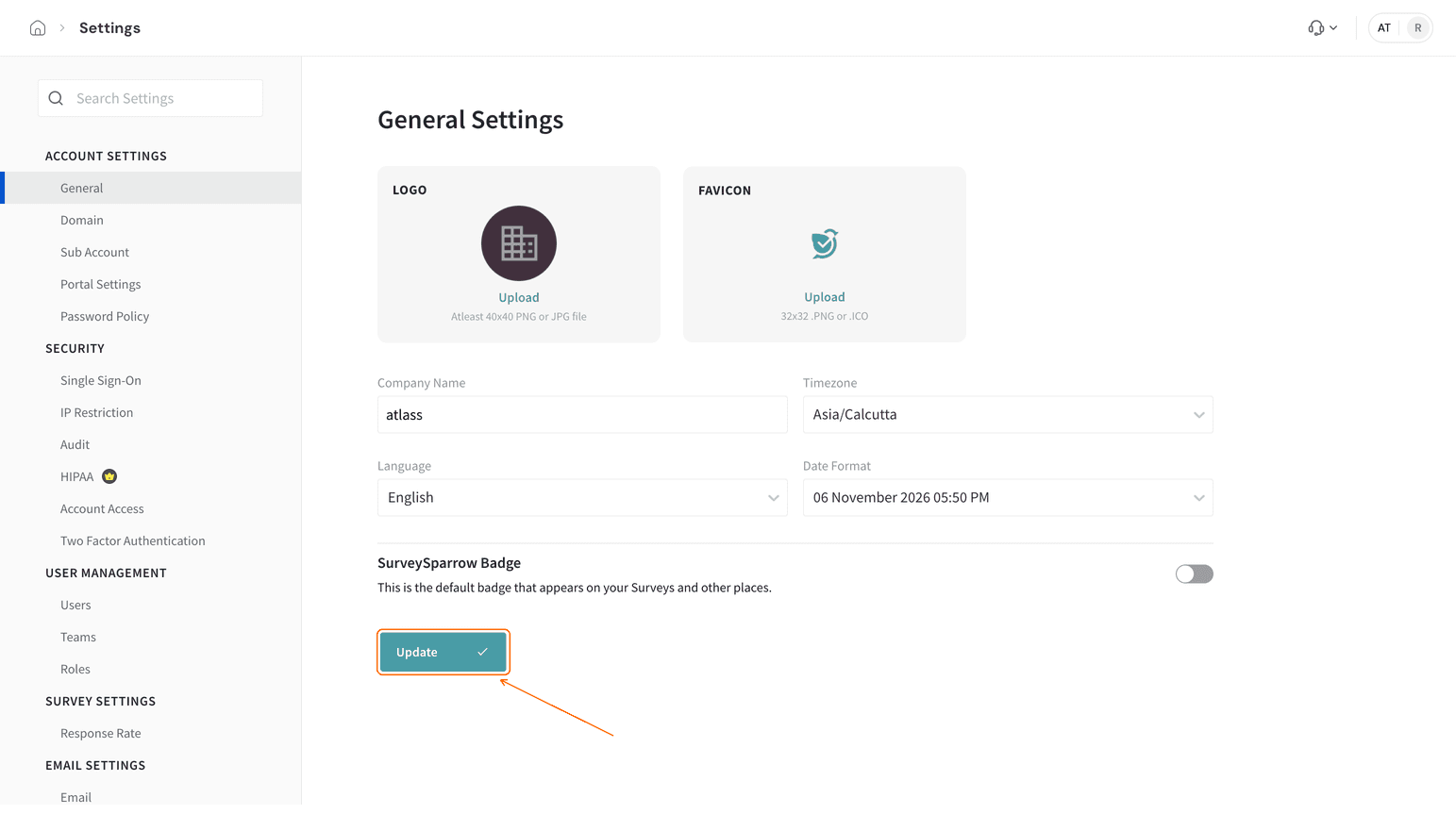
An Account Updated message confirms the change.
How do I add my own brand name or logo to a survey?
Custom Branding is saved with each survey, unlike the SurveySparrow Badge, which applies to your whole account. These steps work in Classic and CX surveys.
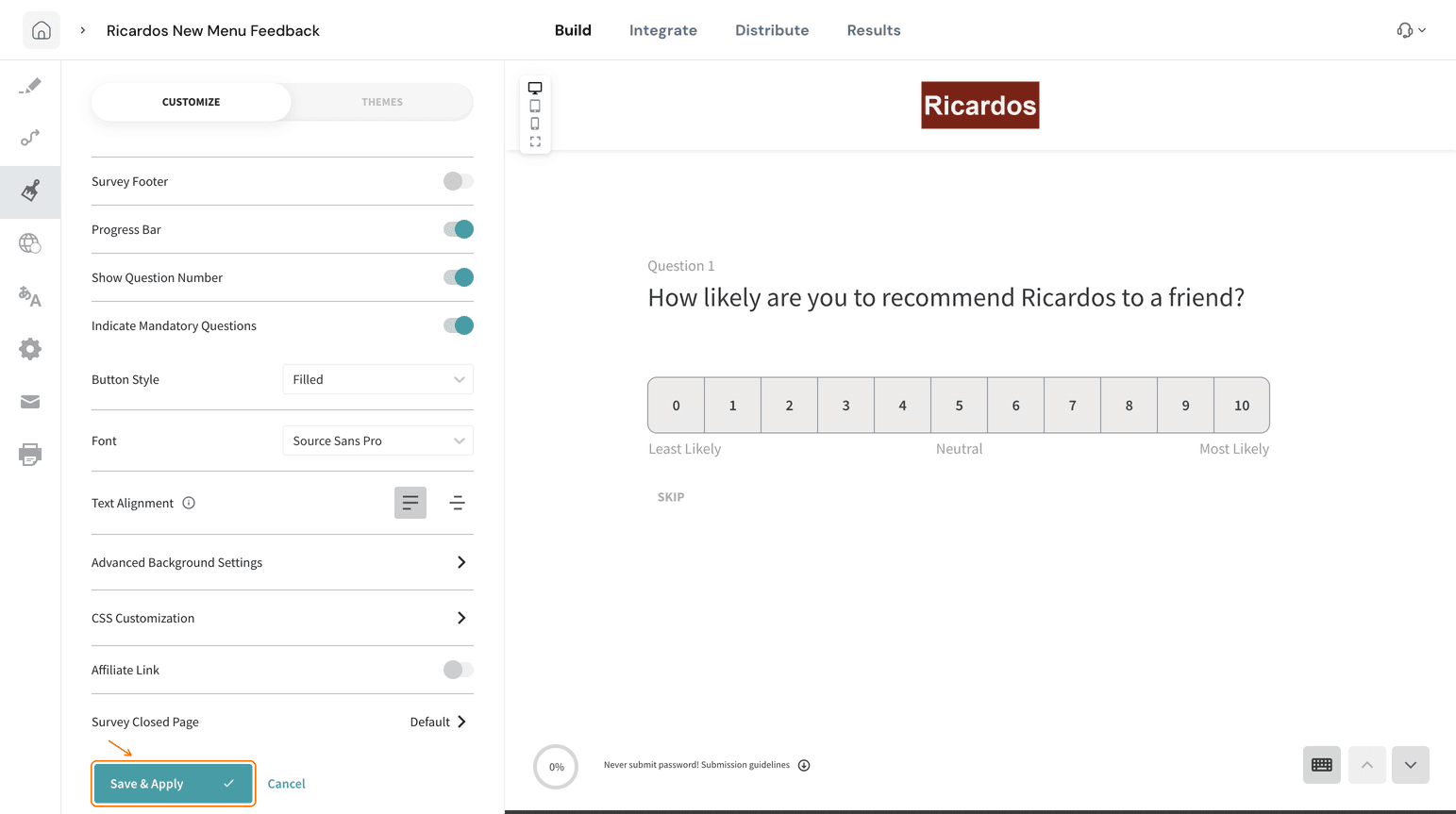
- Open the survey in the builder and select the Design icon in the left panel.
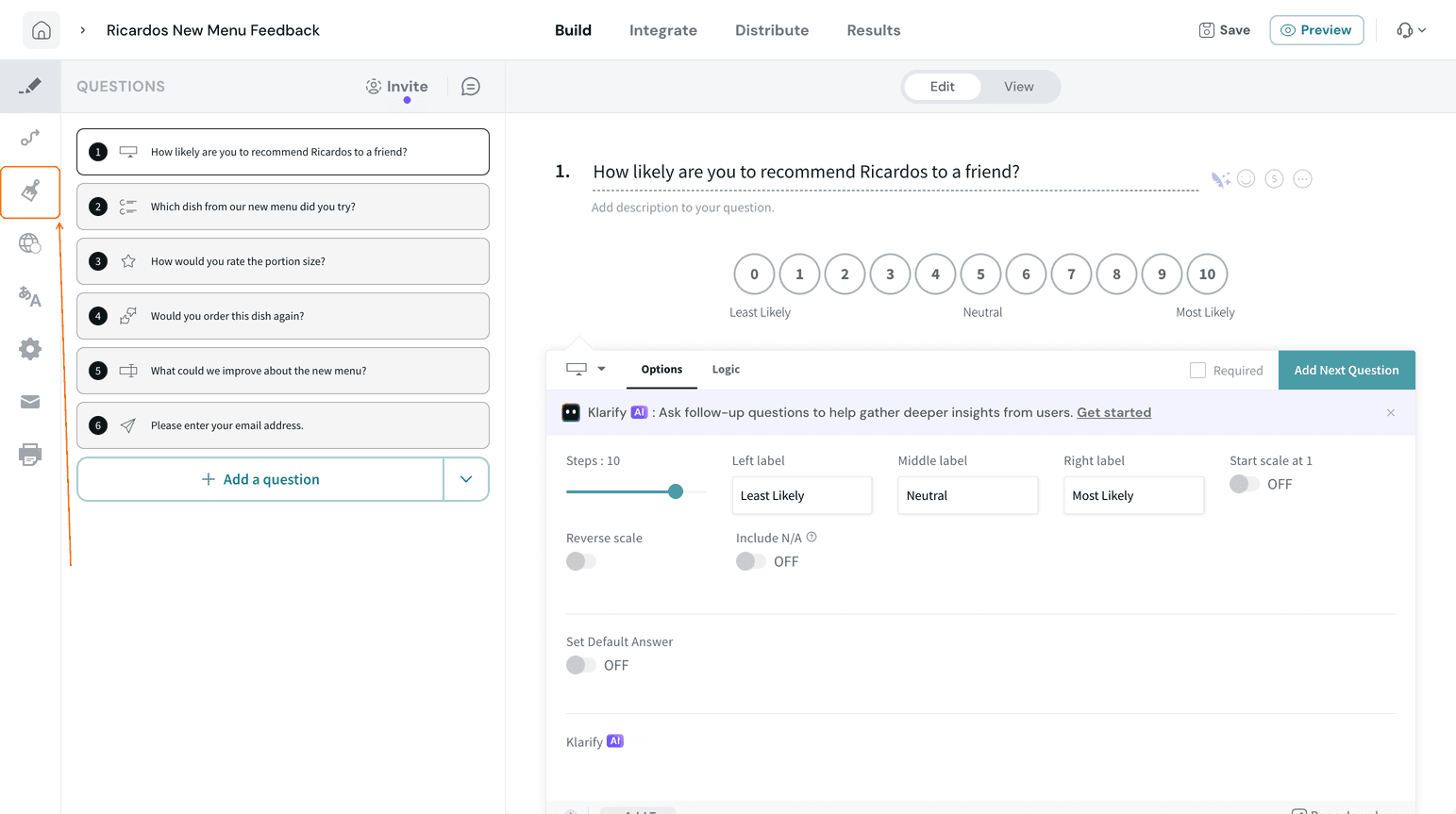
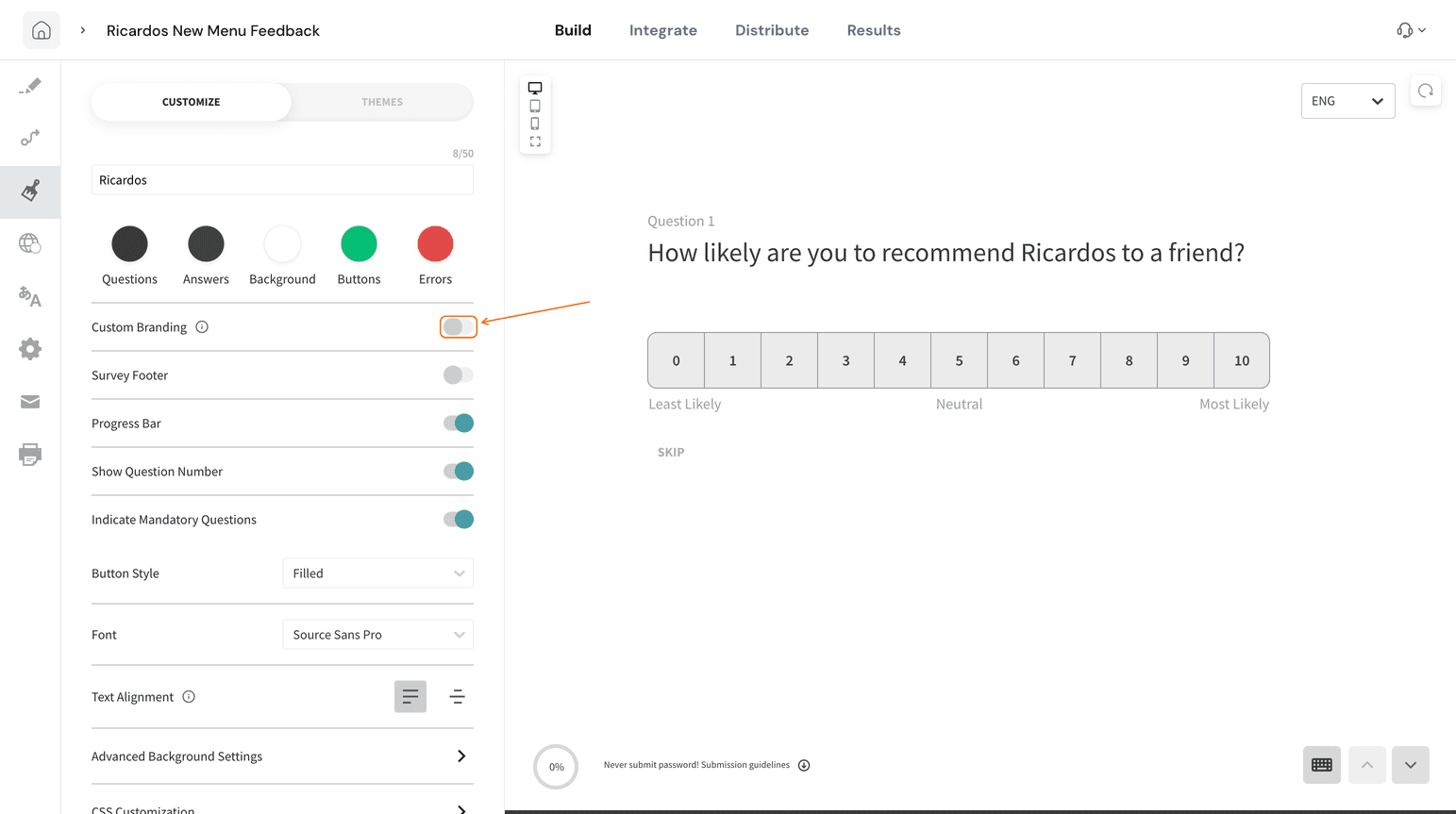
- On the CUSTOMIZE tab, turn on Custom Branding.
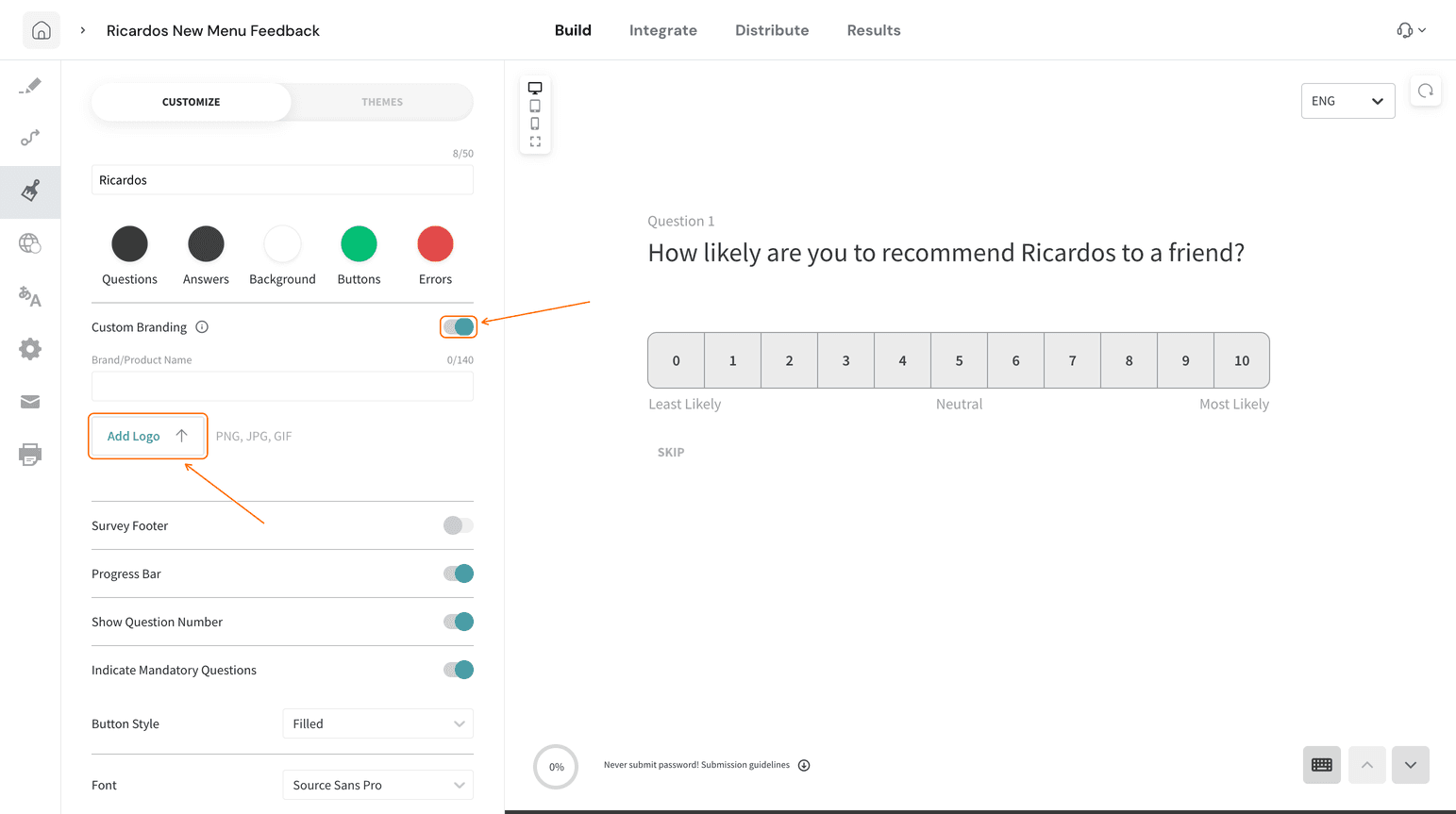
- To use a logo, select Add Logo and choose a PNG, JPG or GIF file.
- To use a name, enter it in Brand/Product Name. The name can be up to 140 characters. The preview shows your brand at the top of the survey.
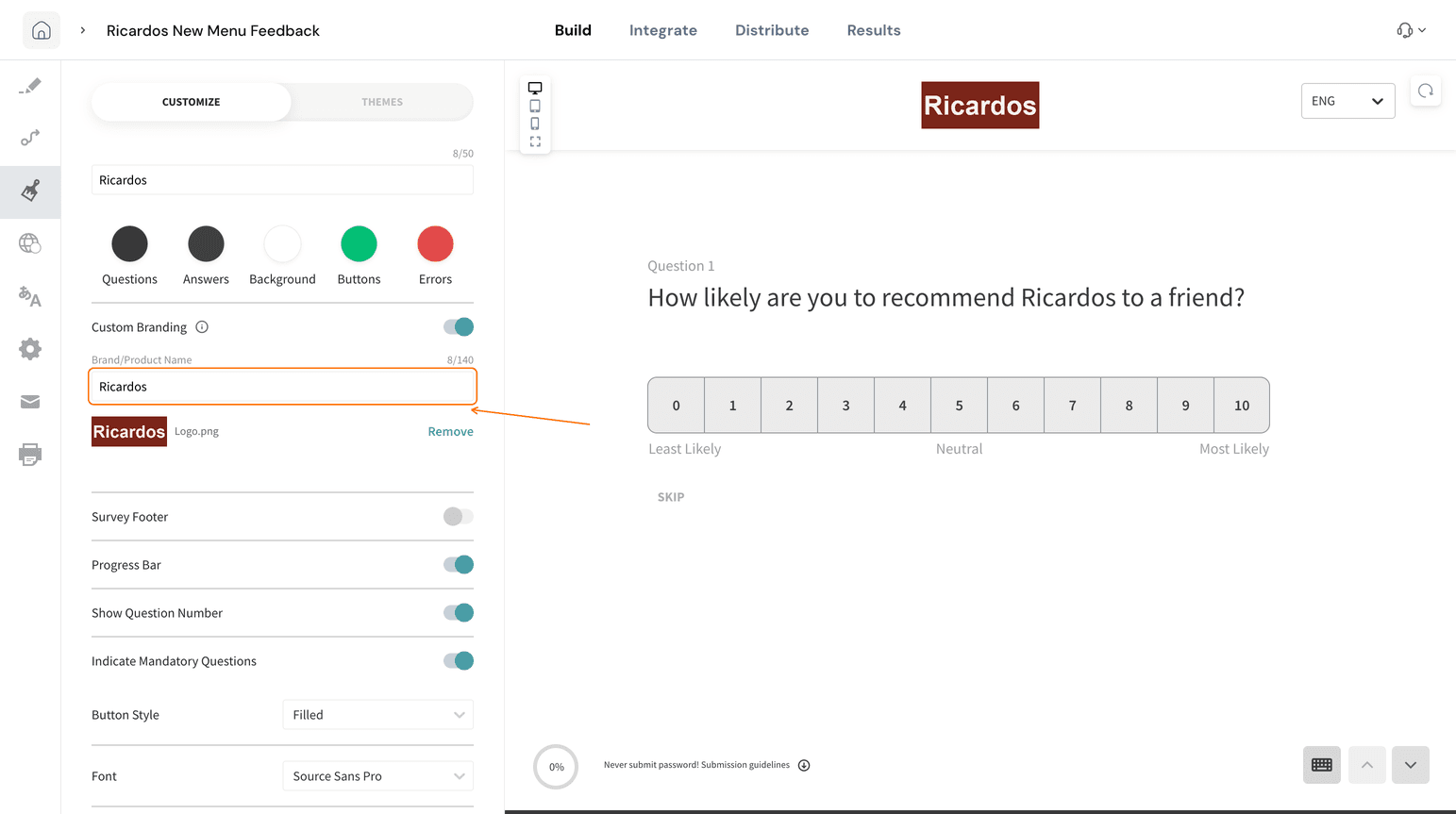
If you add both a logo and a name, the logo takes priority.
- Select Save & Apply.
Troubleshooting
A Settings page says I am not authorized
Contact your SurveySparrow administrator to get access to the page.
I switched the SurveySparrow Badge off but nothing changed
Make sure you selected Update after the confirmation dialog. Then reload the page and check that the SurveySparrow Badge toggle is still off.
FAQ
Does turning off the SurveySparrow Badge affect surveys I already created?
Yes. The confirmation dialog states that the change affects your existing and future surveys.
How do I turn the SurveySparrow Badge back on?
Go to Settings, open General, turn the SurveySparrow Badge toggle on and select Update.
Which shows if I add both a logo and a brand name?
The logo. The Custom Branding tooltip says the logo takes higher priority than the name.
Related articles
Still stuck? Reach out to us. We are just a chat away.
Was this helpful?