How to train Echo agent with knowledge base?

You can train Echo with your knowledge base.
Click on the Knowledge tab to add information your agent can use. Echo reads through this information and uses it to answer customer questions with accurate, relevant responses during conversations. You can upload reference links, files, or define question-and-answer pairs to build your agent's knowledge base.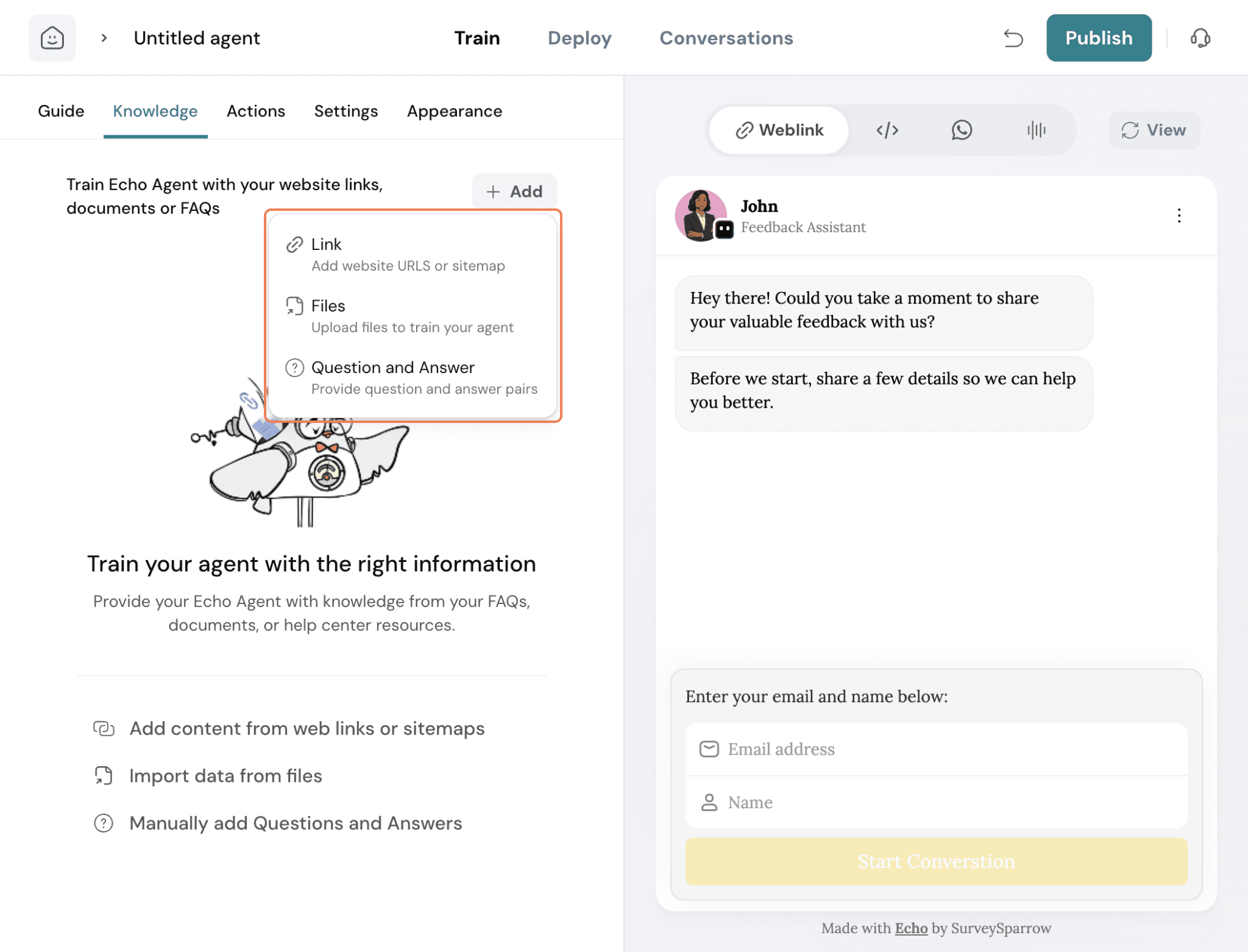
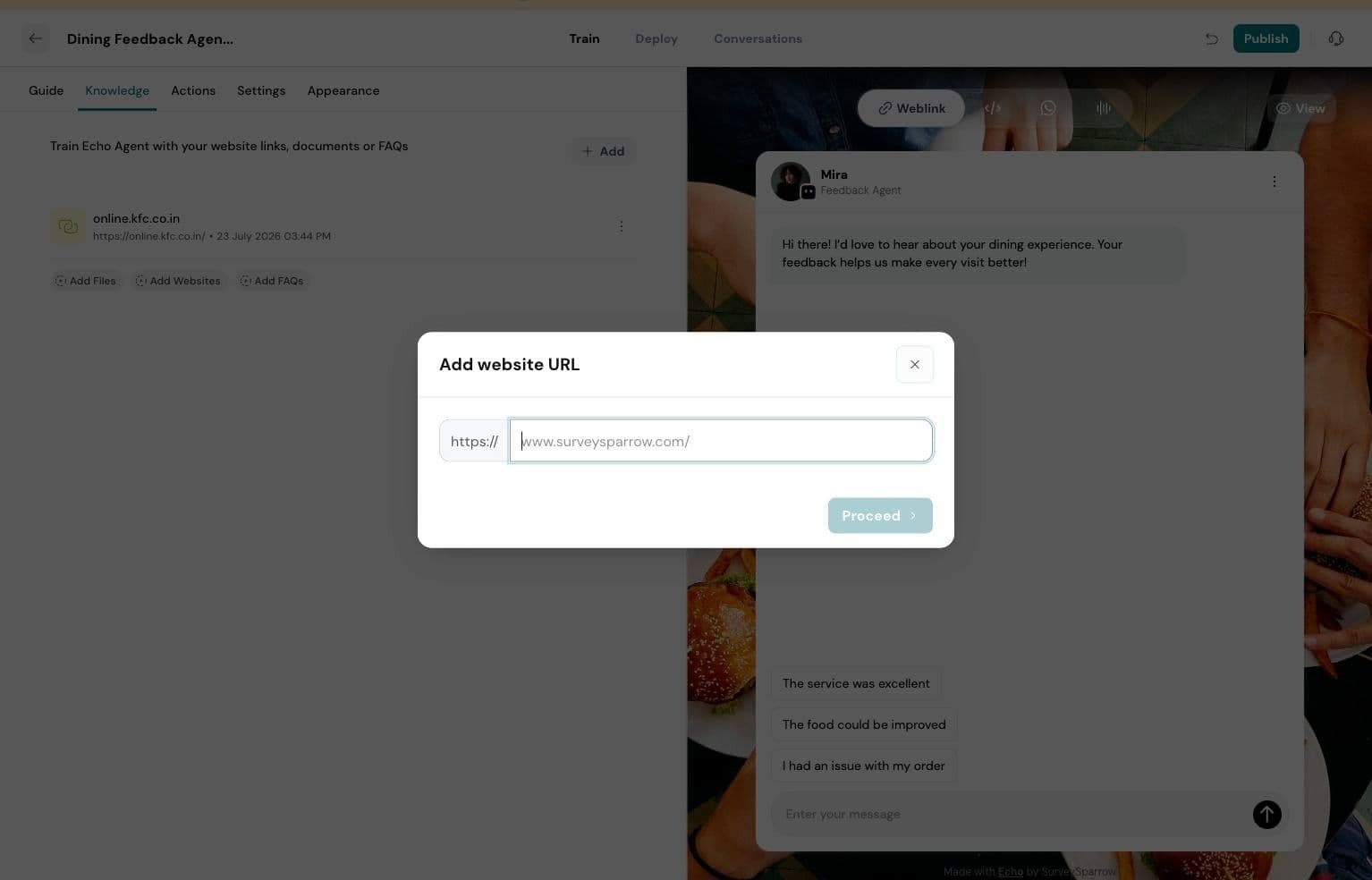
In the "Add website URL" dialog box, type or paste the full URL of the website you want your agent to learn from.
For example, enter https://www.surveysparrow.com/. Ensure the URL is accurate for the system to correctly access the site.
After entering the URL, click the Proceed button. This action initiates the process of discovering and listing the pages available on the provided website, preparing them for indexing.
The system will now display a list of pages found on the website within the "Add website URL" dialog. You can select specific pages or choose to crawl the entire site by clicking Crawl Pages to begin indexing the content.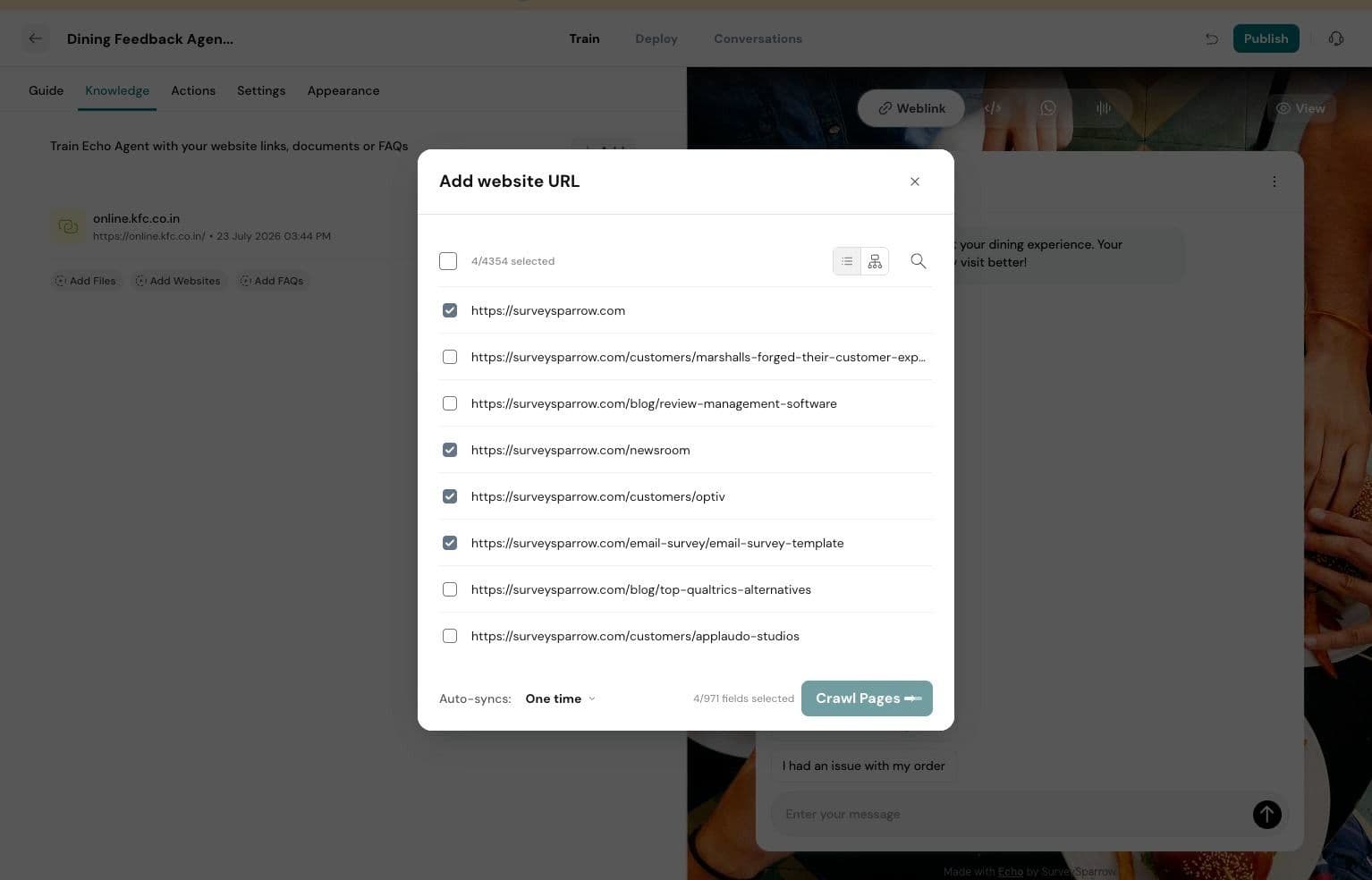
Alternate shots for this step: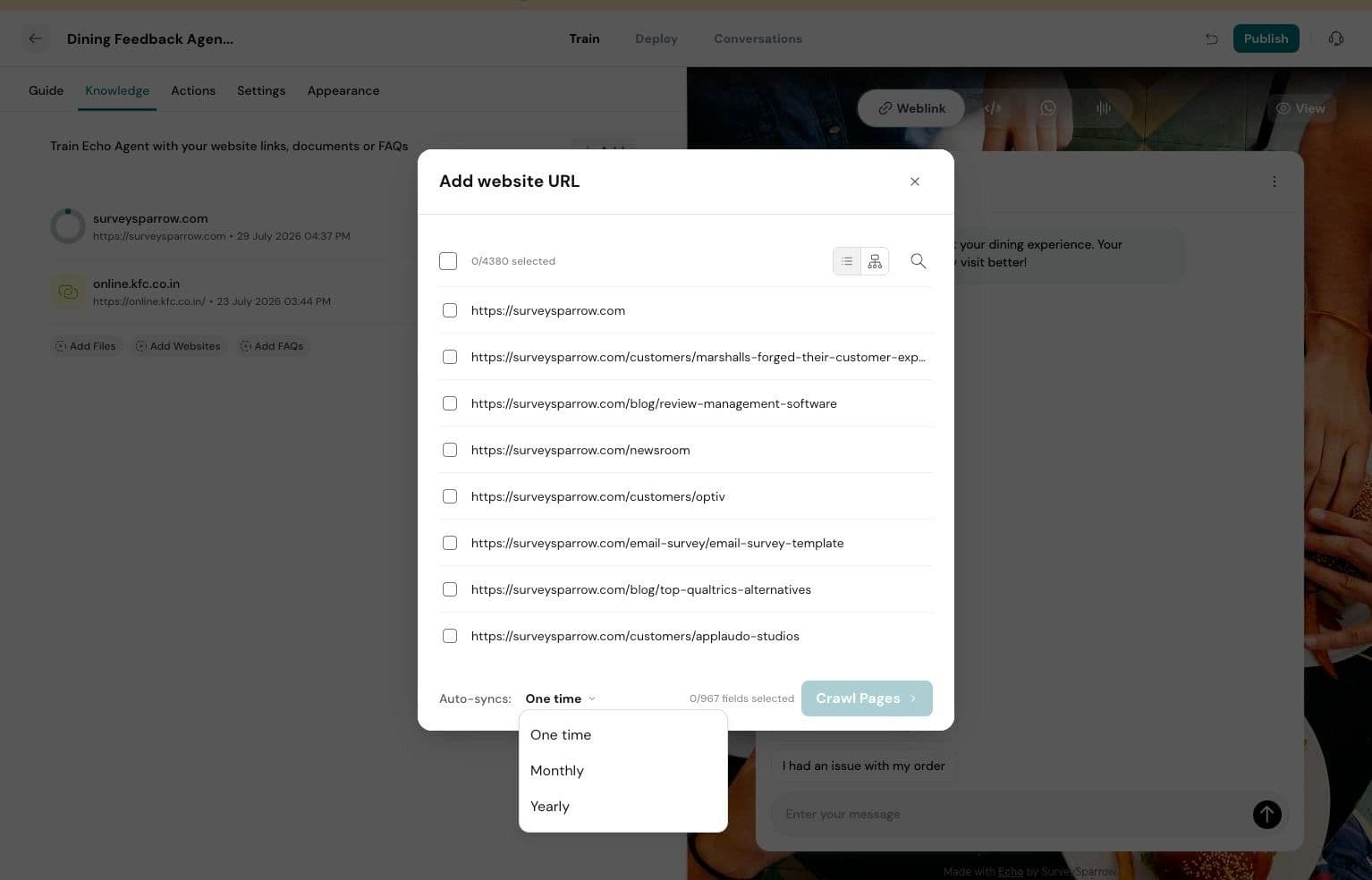
Files
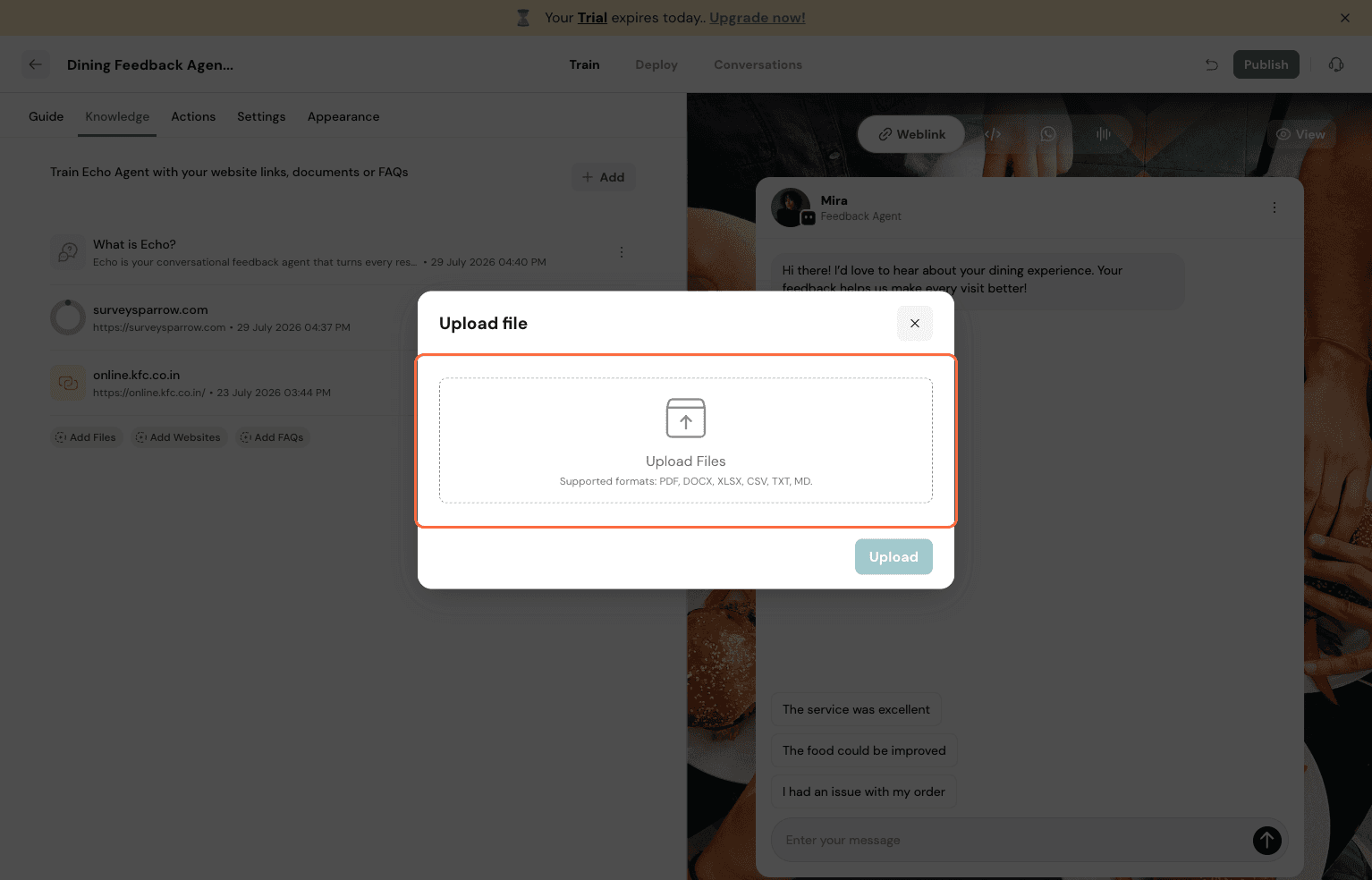
To add documents like PDFs, DOCX, or TXT files, click on the Files option from the main "+ Add" menu. This will open a dialog box where you can select the files you wish to upload for your agent's training.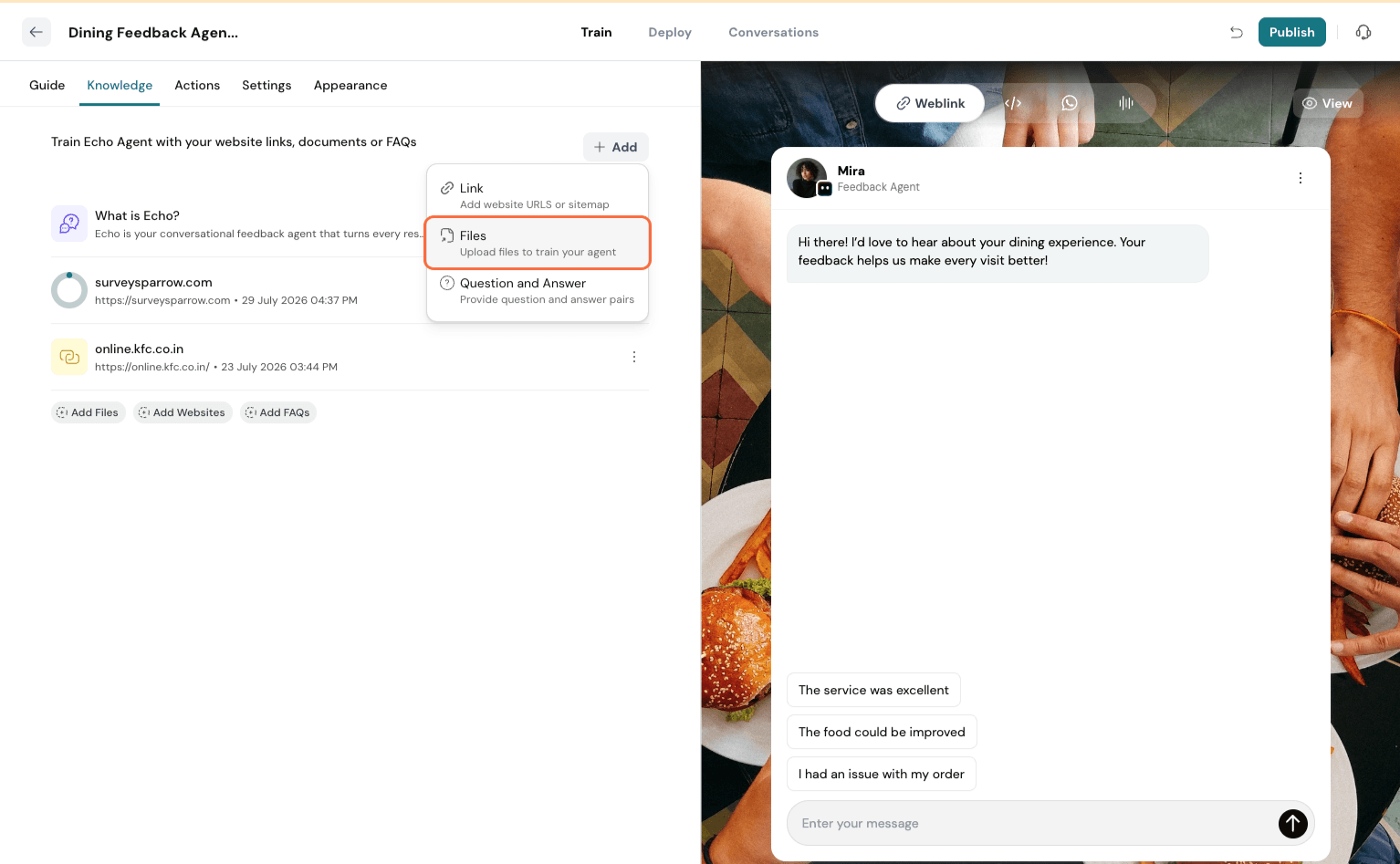
Question and Answer
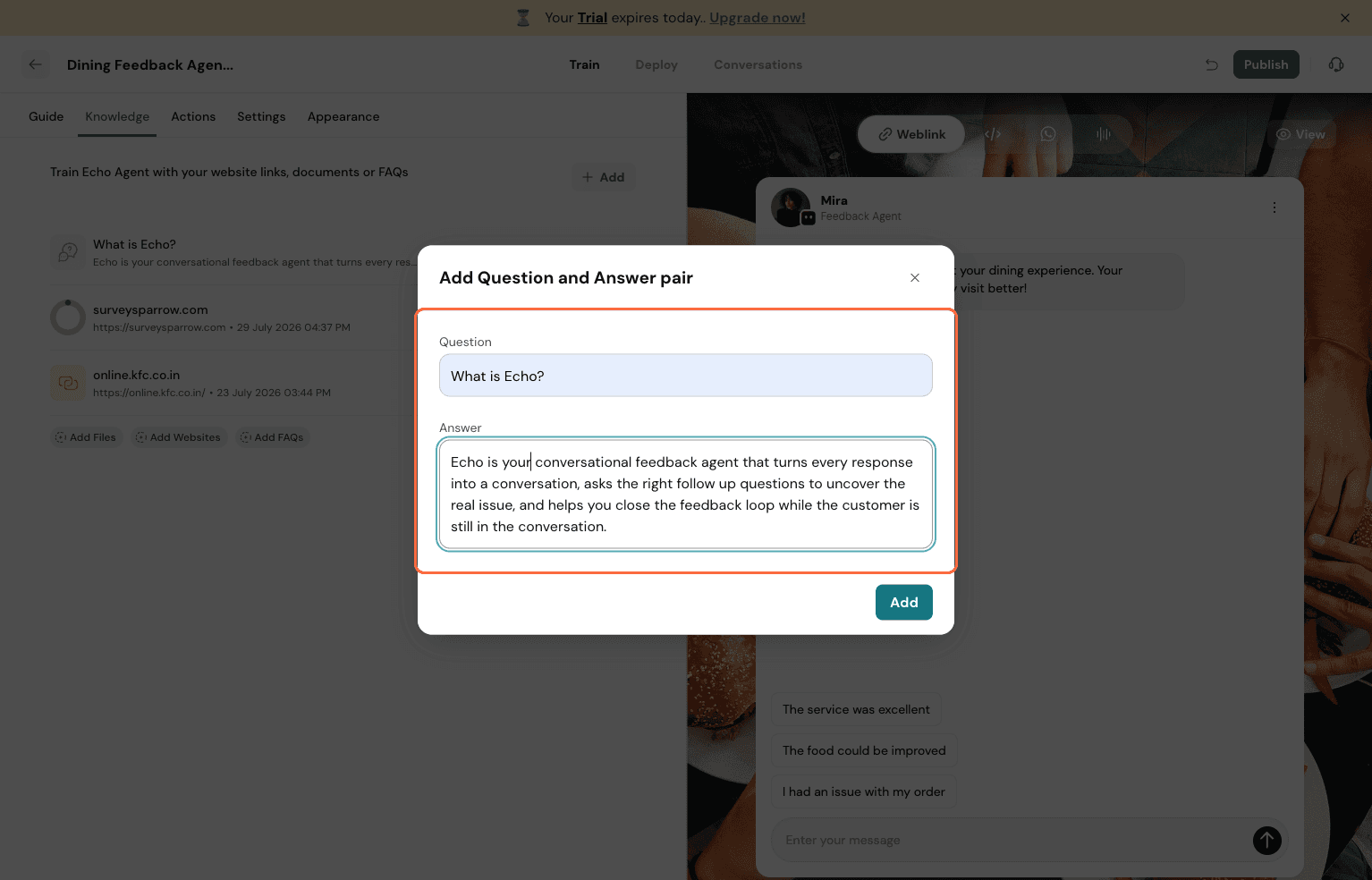
For specific information not readily available on websites or in files, you can manually add question-and-answer pairs. 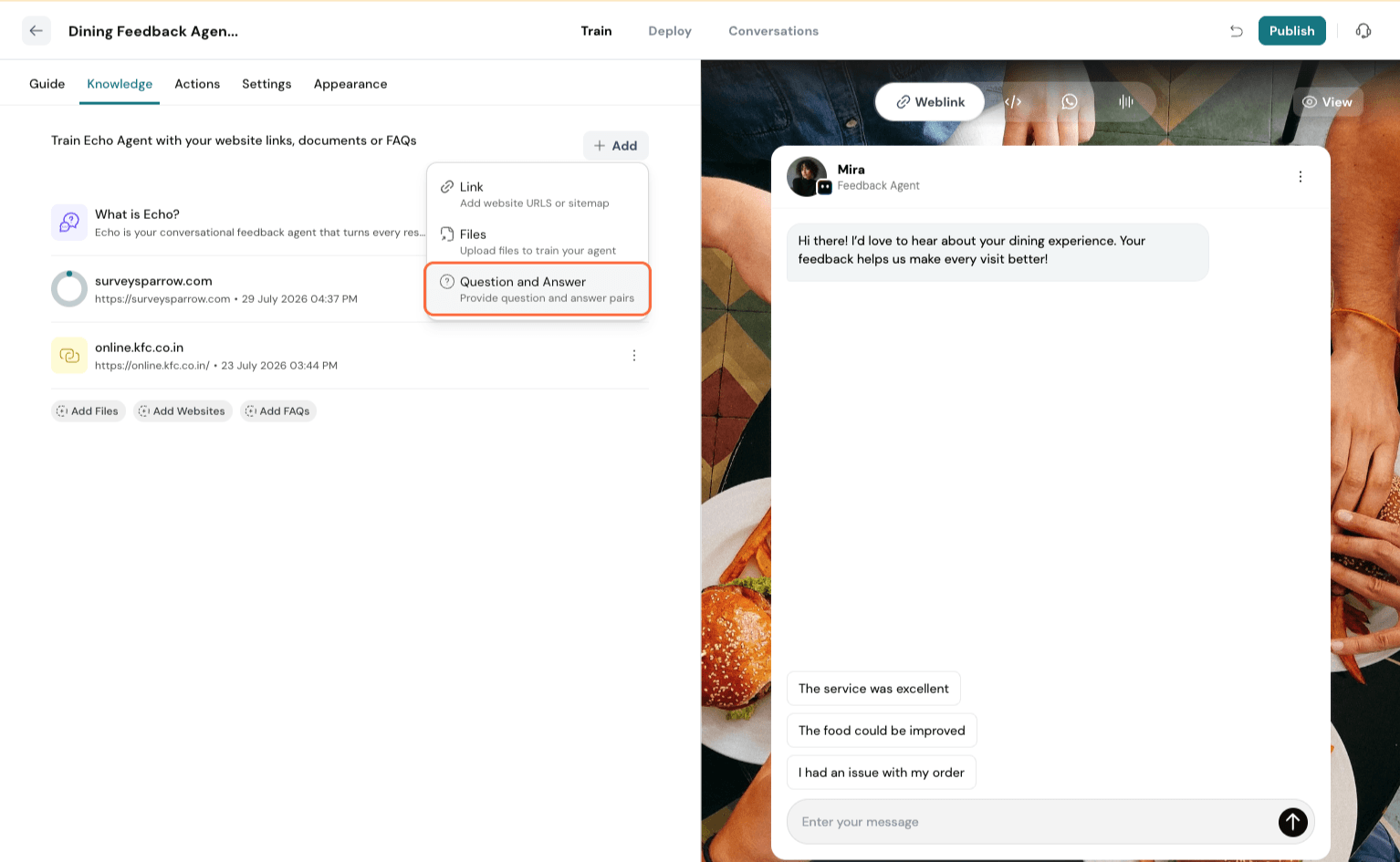
Click the Question and Answer option from the "+ Add" menu to open the input dialog.